Collaboration Dec 12, 2025 10 min read
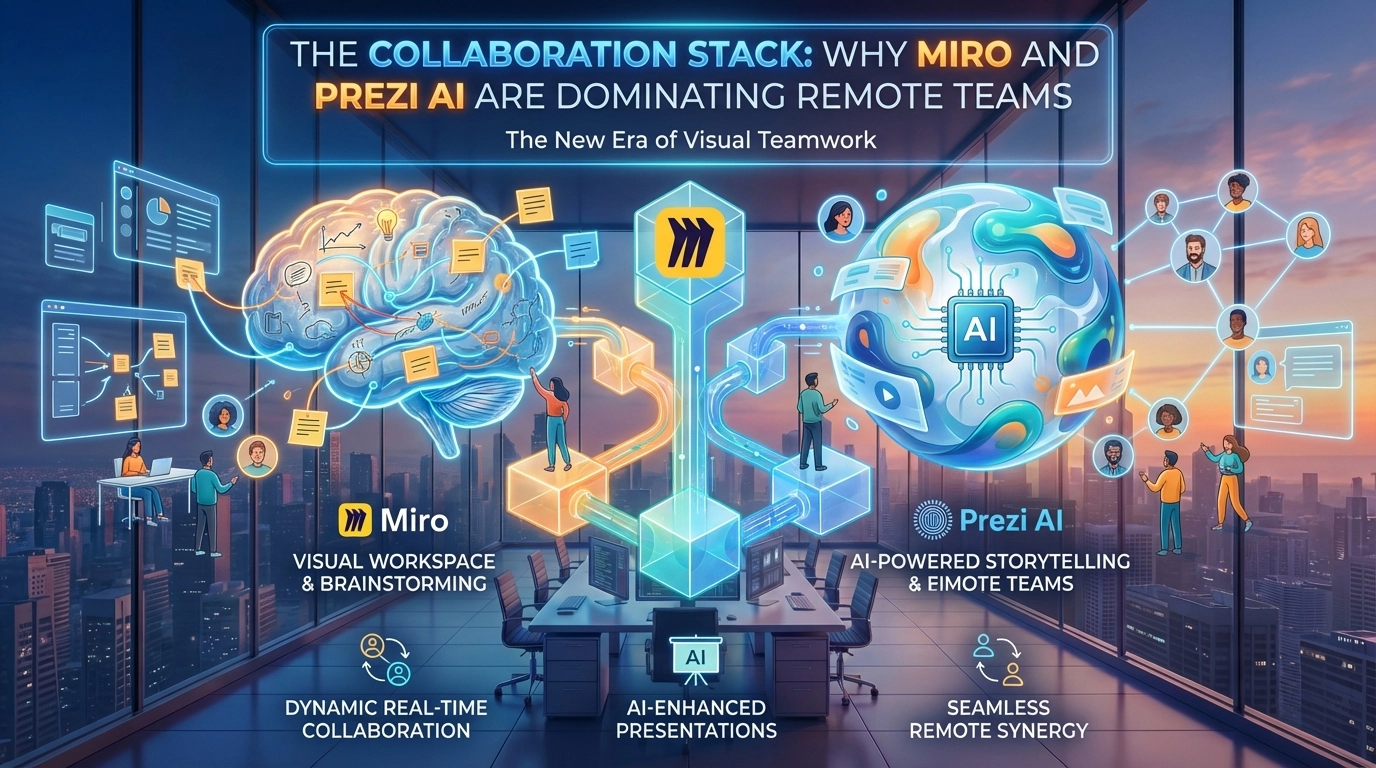
The Collaboration Stack: Why Miro and Prezi AI are Dominating Remote Teams
Remote work isn't just about Zoom calls anymore; it's about persistent, visual collaboration spaces. Miro and Prezi AI have emerged as the dominant players by integrating generative AI directly into the canvas.
Building Your Visual-First Collaboration Workflow
The transition from document-based collaboration to visual-first workspaces represents more than a tool swap—it's a fundamental reimagining of how distributed teams think together. The companies seeing transformational results in 2026 aren't simply replacing Google Docs with **Miro boards; they're redesigning their entire collaboration architecture around persistent, AI-enhanced visual canvases.
The starting point is understanding where visual collaboration delivers the highest leverage. Traditional documents excel at linear communication—policies, reports, specifications. But the majority of knowledge work happens in the messy middle: brainstorming, strategic planning, process mapping, and cross-functional alignment. These activities have historically been squeezed into the constraints of text documents or relegated to synchronous meetings because we lacked better alternatives. Miro and Prezi AI have emerged as category leaders precisely because they've optimized for this messy middle while integrating AI that accelerates the journey from chaos to clarity.
Implementing Miro for Asynchronous Strategy
Miro's dominance in the collaboration space stems from its recognition that the infinite canvas isn't just a larger whiteboard—it's a new medium for thinking. The most sophisticated teams are using Miro as a living workspace where strategy evolves continuously rather than being locked in quarterly planning sessions.
Start by establishing what we call "persistent strategy boards"—always-on canvases where your team can contribute ideas, feedback, and refinements regardless of time zone or schedule. Unlike a meeting where everyone must be present simultaneously, a Miro board allows your London-based designer to sketch concepts overnight, your New York product manager to add strategic context in the morning, and your San Francisco engineer to flag technical constraints in the afternoon—all without a single synchronous meeting.
The breakthrough feature is Miro Assist, which transforms rough collaborative thinking into structured outputs. Here's where the AI becomes genuinely useful: after a team has spent a week adding sticky notes, sketches, and comments to a strategy board, Miro Assist can analyze the entire canvas and generate structured frameworks—converting scattered ideas into organized project roadmaps, identifying themes across hundreds of sticky notes, and even suggesting connections between concepts that team members might have missed.
The practical implementation follows a pattern: use Miro boards for divergent thinking (brainstorming, exploration, gathering input) and then leverage Miro Assist to create convergence (organization, synthesis, actionable plans). A product team might spend Monday through Wednesday having team members asynchronously add feature ideas, customer feedback, and technical constraints to a board. On Thursday, a product manager uses Miro Assist to cluster the ideas, identify patterns, and generate a prioritization framework—work that previously would have required facilitated meetings and manual synthesis over several days.
Prezi AI: Transforming Ideas into Visual Narratives
While Miro dominates the collaborative thinking space, Prezi AI has carved out a powerful niche in presentation and storytelling—specifically by solving the "pitch deck bottleneck" that plagues fast-moving teams. The traditional workflow of moving from strategy session to client-ready presentation involved multiple tools, handoffs, and design iterations. Prezi's AI design engine compresses this timeline dramatically.
The killer application is what Prezi calls "concept to canvas." You can begin with a rough outline or even just conversational bullet points about what you want to communicate, and Prezi's AI generates a visually stunning, spatially organized presentation that guides viewers through a narrative journey rather than linear slides. This matters enormously for high-stakes presentations where visual impact and storytelling flow directly influence outcomes—investor pitches, client proposals, conference talks.
The strategic advantage goes beyond speed. Prezi's zooming interface and spatial canvas create presentations that mirror how humans actually think—moving from big picture to detail and back again—rather than forcing ideas into the rigid sequence of traditional slides. When combined with AI that suggests optimal visual layouts and identifies the strongest narrative flow, you get presentations that both look professional and communicate more effectively.
For teams implementing Prezi AI, the key is to treat it as a thinking tool, not just a presentation formatter. Start your strategic projects directly in Prezi—using it as both the workspace for developing ideas and the eventual client deliverable. This eliminates the traditional handoff where someone has to "translate" a strategy document into presentation format. A consulting team, for example, might develop their entire client engagement framework in Prezi, using the AI to suggest optimal ways to visualize complex concepts, and then present directly from the same canvas they used for thinking and planning.
The Integration Layer: Building a Connected Visual Workspace
The real power emerges when Miro and Prezi work in concert with your broader tool ecosystem. The most advanced teams in 2026 are building what we call "visual workflows"—where these collaboration canvases become the interface layer connecting to project management, documentation, and communication tools.
A typical modern workflow looks like this: Strategy and ideation happens in Miro, with cross-functional teams contributing asynchronously. When it's time to convert strategy into execution, key elements from the Miro board link directly to Jira tickets, Notion docs, or Asana tasks—creating traceability from strategic intent to actual work. When the team needs to present progress to stakeholders, they use Prezi AI to pull insights from the Miro board and transform them into a compelling narrative, all without manual copying and formatting.
This integration layer eliminates the "context switching tax" that drains productivity from distributed teams. Instead of constantly moving between Slack, email, documents, project management tools, and presentation software—each with its own interface and mental model—teams work primarily in visual canvases that connect to everything else.
Change Management: Getting Teams to Think Visually
The barrier to visual collaboration isn't usually technical—it's cultural. Teams accustomed to working in documents and spreadsheets initially resist the unstructured nature of an infinite canvas. The successful adoption pattern is to start with high-pain collaboration moments rather than trying to move everything at once.
Identify the meetings in your organization that consistently run long, require extensive prep work, or leave participants confused about outcomes. These are prime candidates for visual collaboration. Product roadmap planning, quarterly strategic reviews, cross-functional project kickoffs—these typically benefit most from the spatial thinking and asynchronous contribution that Miro enables.
Start by having a facilitator pre-structure the board with clear sections and prompts, making it easier for team members to know where and how to contribute. As the team becomes comfortable with the medium, you can gradually introduce more open-ended canvases. The AI features become trust-builders—when someone skeptical sees Miro Assist take their messy brainstorm and generate a clean framework in seconds, or watches Prezi AI transform their rough outline into a beautiful presentation, the value becomes undeniable.
The metric to track isn't "how many boards did we create" but rather "how many synchronous meetings did we eliminate or shorten." The most successful teams using visual collaboration tools report 30-40% reductions in meeting time within the first quarter of adoption—not because they're collaborating less, but because they're collaborating more effectively through persistent visual spaces that respect everyone's time and timezone.
Visual Intelligence
Imagine sketching a rough idea on a whiteboard and having AI turn it into a structured project plan or a stunning presentation in seconds. That is exactly what we're seeing with the latest Miro Assist and Prezi's AI design engine.
Why it matters:
1. Reduced Meeting Fatigue: Visual boards allow for asynchronous collaboration, meaning fewer "this could have been an email" meetings.
2. Speed to Market: Teams can go from brainstorming to a client-ready pitch deck in half the time.
3. Global Alignment**: Visual tools break down language barriers, providing a universal source of truth for global teams.
In the tech directory of 2026, these aren't just "tools"—they are the central nervous system of modern business operations.