
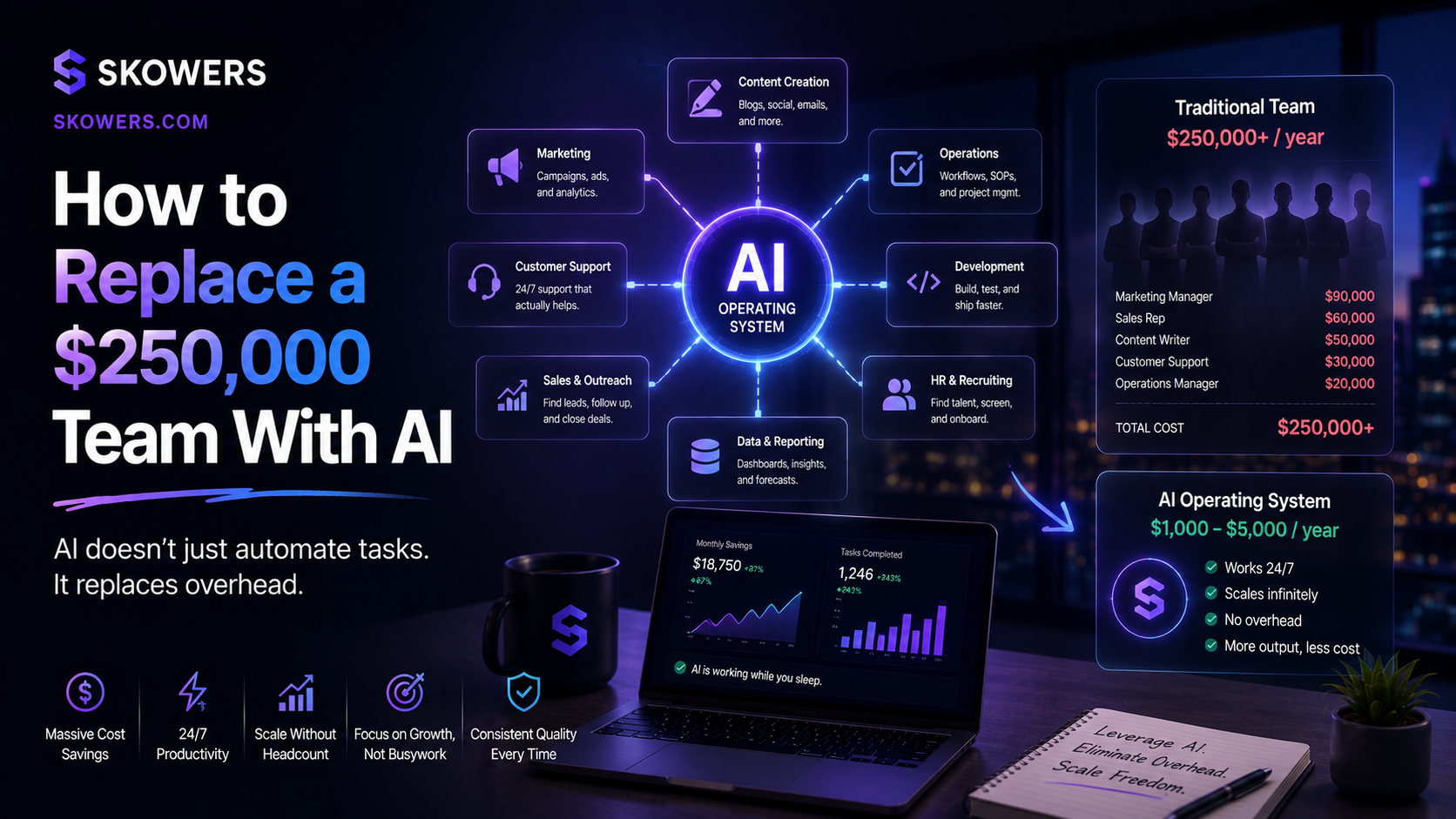
How to Replace a $250,000 Team With AI
Listen: How to Replace a $250,000 Team With AI
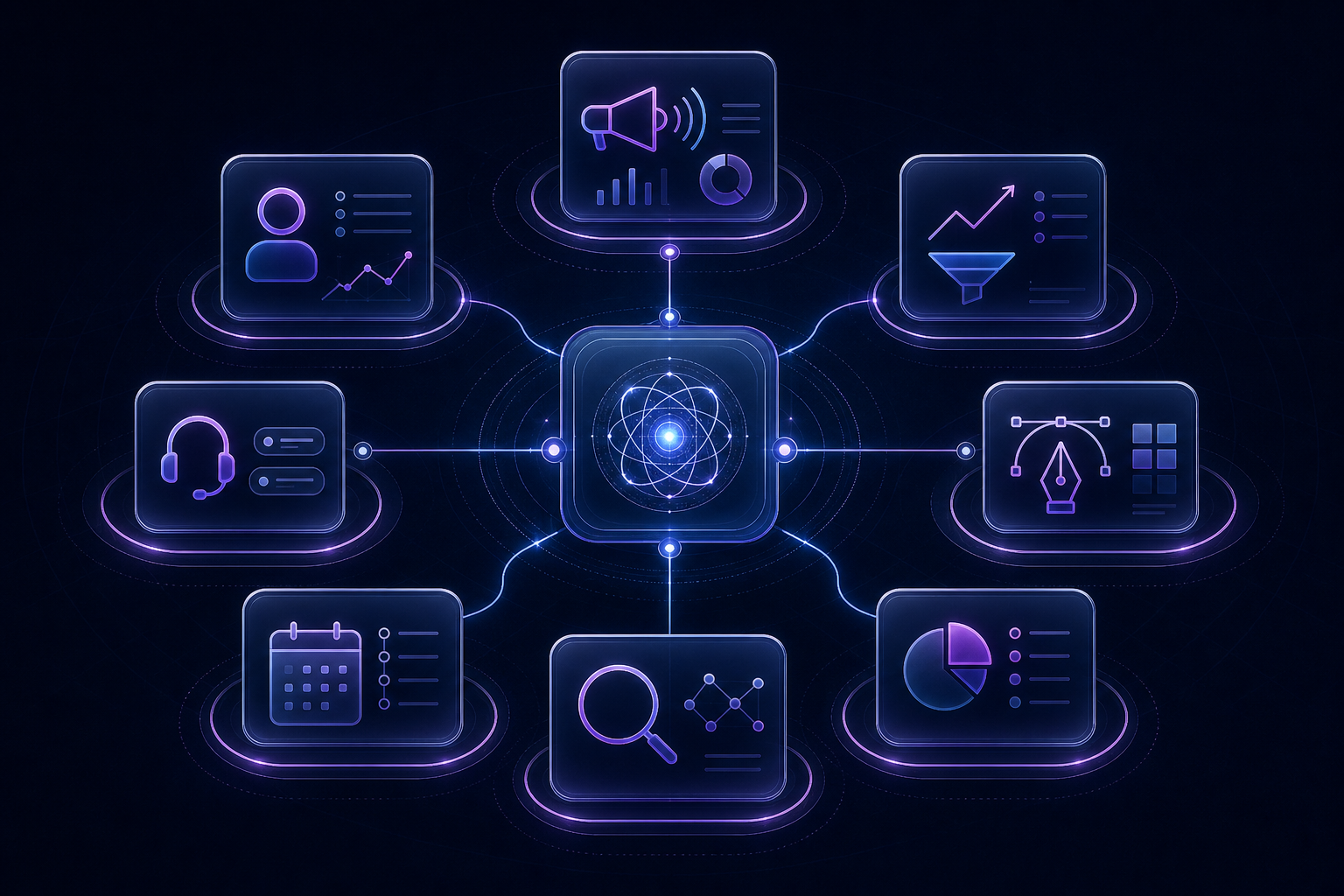
A $250,000 team is not really a number. It is a bundle of jobs.
One person creates demand. Another finds prospects. Someone answers customer questions. A designer turns ideas into assets. An assistant protects the calendar. A researcher keeps the company informed. A bookkeeper keeps financial operations from becoming a shoebox full of receipts.
For a growing company, those seven functions can easily require $250,000 or more in annual salary, payroll taxes, benefits, recruiting, software, and management time. But the alternative is not firing seven great people and handing the keys to a chatbot.
The high-leverage move in 2026 is different: replace repetitive functional workload with an AI operating system, then keep human judgment at the points where reputation, money, customer trust, and strategy are on the line.
That distinction matters. AI can draft, route, summarize, monitor, personalize, schedule, reconcile, and report. It should not make unchecked promises, approve its own financial transactions, invent research, or decide how to treat a difficult customer.
This guide shows how one founder or lean operating team can cover seven departments using tools already listed on Skowers: marketing, sales, support, design, scheduling, research, and accounting operations.

The $250,000 Team Math
A conventional small-company team might look like this:
- Growth marketer: $55,000–$80,000.
- Sales development representative: $50,000–$75,000 plus incentives.
- Customer support specialist: $40,000–$55,000.
- Designer or content producer: $50,000–$75,000.
- Executive or operations assistant: $45,000–$65,000.
- Research or business analyst: $55,000–$80,000.
- Part-time bookkeeping and finance operations: $20,000–$40,000.
You would not necessarily hire all seven at once. That is exactly the point. Early-stage companies live with the cost in another form: founders doing admin at midnight, leads waiting two days for a reply, campaigns that never ship, support tickets interrupting deep work, and decisions made without research.
An AI stack does not perfectly replace seven full-time specialists. It gives a small team enough functional coverage to postpone several hires, increase the output of current employees, and learn where a real expert will create the most value.
The Operating Model: One Human, Seven AI Functions
Think of the company as a control tower.
Each function gets:
- An intake: the event or request that begins the work.
- A system of record: where approved information lives.
- An AI worker: the tool that drafts, classifies, analyzes, or acts.
- An orchestrator: the automation connecting apps and rules.
- An approval gate: the moment a human checks consequential work.
- A scoreboard: the metric that proves whether the function works.
n8n is the connective tissue for the full system. It can listen for events, pass information between apps, call AI models, apply conditions, create approval queues, and write results back to the right system.
Do not start by connecting everything. Start with one measurable bottleneck. Make it reliable. Then add the next department.
1. Marketing: Replace the Campaign Production Line
The marketing function has four jobs: understand demand, create assets, distribute them, and measure what converts.
A practical stack:
- BabyLoveGrowth for ongoing SEO content, authority work, and visibility across Google and AI answer engines.
- Adcreative for rapid ad concepts, creative variations, and campaign-ready graphics.
- Brevo for email sequences, segmentation, and lifecycle automation.
- Vista Social for social scheduling, publishing, and channel coordination.
- Databox for a marketing scoreboard that keeps the stack accountable.
Marketing workflow
- A weekly planning form captures the offer, audience, proof, and campaign goal.
- BabyLoveGrowth maintains the organic content engine around approved topics.
- Adcreative generates a batch of visual directions from the approved brief.
- A human selects the strongest concepts and confirms that every claim has evidence.
- Brevo sends the approved nurture or launch sequence.
- Vista Social schedules supporting social distribution.
- Databox reports qualified traffic, leads, conversion, and cost instead of vanity output.
What stays human: positioning, customer empathy, offer design, claim approval, final creative taste, and budget allocation.
The metric: qualified pipeline or revenue influenced per campaign—not number of AI posts.
2. Sales: Replace List Building and Follow-Up Labor
Sales teams lose enormous time researching accounts, cleaning data, writing first-touch messages, updating the CRM, and remembering follow-ups.
A practical stack:
- Apollo for prospect data, filters, enrichment, and initial targeting.
- Amplemarket for sales intelligence, multichannel engagement, and inbox-placement-aware outreach.
- AiSDR for AI-assisted prospect research, personalization, follow-up, and meeting generation.
- for pipeline, communication, sales workflows, and deal follow-through.
- Laxis for meeting notes, decisions, objections, and next actions.
Sales workflow
- Define the ideal customer in plain operational terms: company type, trigger, costly pain, buyer, exclusions, and proof.
- Use Apollo or Amplemarket to build a narrow list instead of blasting thousands of contacts.
- Enrich only the fields needed to personalize the message.
- Let AiSDR prepare first-touch and follow-up drafts grounded in real account signals.
- Route positive replies and qualified opportunities into .
- Use Laxis to capture the call and write approved next steps back to the deal.
- Trigger reminders when a committed next action has no activity.
What stays human: the offer, target criteria, high-value personalization, discovery calls, negotiation, relationship building, and every promise made to a prospect.
The metric: qualified conversations and pipeline created per 100 carefully selected accounts.
3. Support: Replace First-Line Triage, Not Customer Care
Most support demand is repetitive: order status, setup questions, plan details, password trouble, common integrations, and routing. AI can absorb the repetition while humans handle emotion, exceptions, and valuable relationships.
A practical stack:
- Tidio for website chat, automated responses, and lead/support conversations.
- Typewise for governed customer-service agents across channels and operational systems.
- SleekFlow AI for omnichannel messaging when customers move between web, WhatsApp, and social channels.
- Algomo for multilingual customer conversations, qualification, and conversion-focused assistance.
- Landbot for structured conversational flows and predictable intake.
Support workflow
- Put current policies, product instructions, and approved answers into one maintained knowledge source.
- Let Landbot or Tidio collect the issue, account context, urgency, and desired outcome.
- Use Typewise to retrieve the relevant approved knowledge and draft a cited answer.
- Use SleekFlow AI when the conversation spans multiple messaging channels.
- Add Algomo where multilingual coverage or inbound qualification matters.
- Escalate refunds, threats, legal issues, safety concerns, high-value accounts, and low-confidence answers.
- Turn repeated unanswered questions into documentation tasks.
What stays human: exceptions, emotional recovery, refunds above a limit, policy changes, legal or safety issues, and the relationship moments customers remember.
The metric: resolution time, customer satisfaction, escalation quality, and percentage of answers grounded in approved sources.
4. Design: Replace the Blank Canvas and Production Queue
The design function is often buried under resizing, deck formatting, social variations, simple edits, first drafts, and “can you make five more versions?”
A practical stack:
- Gamma for presentations, proposals, pages, and narrative-first visual documents.
- Beautiful AI for polished business decks with consistent layouts.
- Prezi for dynamic storytelling and presentations that need more movement.
- Museit.art for custom AI artwork, illustrations, and creative exploration.
- VEED for video production, captions, edits, and content repurposing.
- Adcreative for ad and social creative variations.
Design workflow
- Every request begins with audience, objective, format, required content, references, and deadline.
- AI generates rough directions—not finished brand assets.
- Gamma or Beautiful AI builds the first structured deck.
- Museit.art explores supporting visuals when stock imagery feels generic.
- VEED converts approved ideas into video formats and captions.
- A human checks hierarchy, accessibility, brand consistency, factual claims, image rights, and final taste.
- Approved templates become reusable systems so the next request starts at 70%, not zero.
What stays human: art direction, brand judgment, accessibility, originality, rights review, and final approval.
The metric: approved assets shipped per week, revision cycles, and time from brief to usable first draft.
5. Scheduling: Replace Calendar Tetris
Scheduling is not strategically valuable, but bad scheduling destroys strategic time.
A practical stack:
- Lindy for inbox and calendar assistance, meeting coordination, and administrative workflows.
- Reclaim for automatic focus blocks, habits, tasks, and schedule protection.
- Laxis for meeting preparation, notes, and follow-up.
- n8n for routing booking events into the rest of the company system.
Scheduling workflow
- Reclaim protects deep-work time and places flexible tasks around fixed commitments.
- Lindy handles approved scheduling requests and prepares context from email.
- Every external booking triggers a prep packet: attendee, company, prior messages, objective, and relevant links.
- Laxis captures decisions and next actions after the meeting.
- n8n creates follow-up tasks and updates the CRM or project system.
What stays human: who deserves access, priority conflicts, sensitive meetings, relationship context, and the decision to cancel.
The metric: protected focus hours, meeting no-show rate, and percentage of meetings with completed next actions.
6. Research: Replace Tab Chaos With Evidence
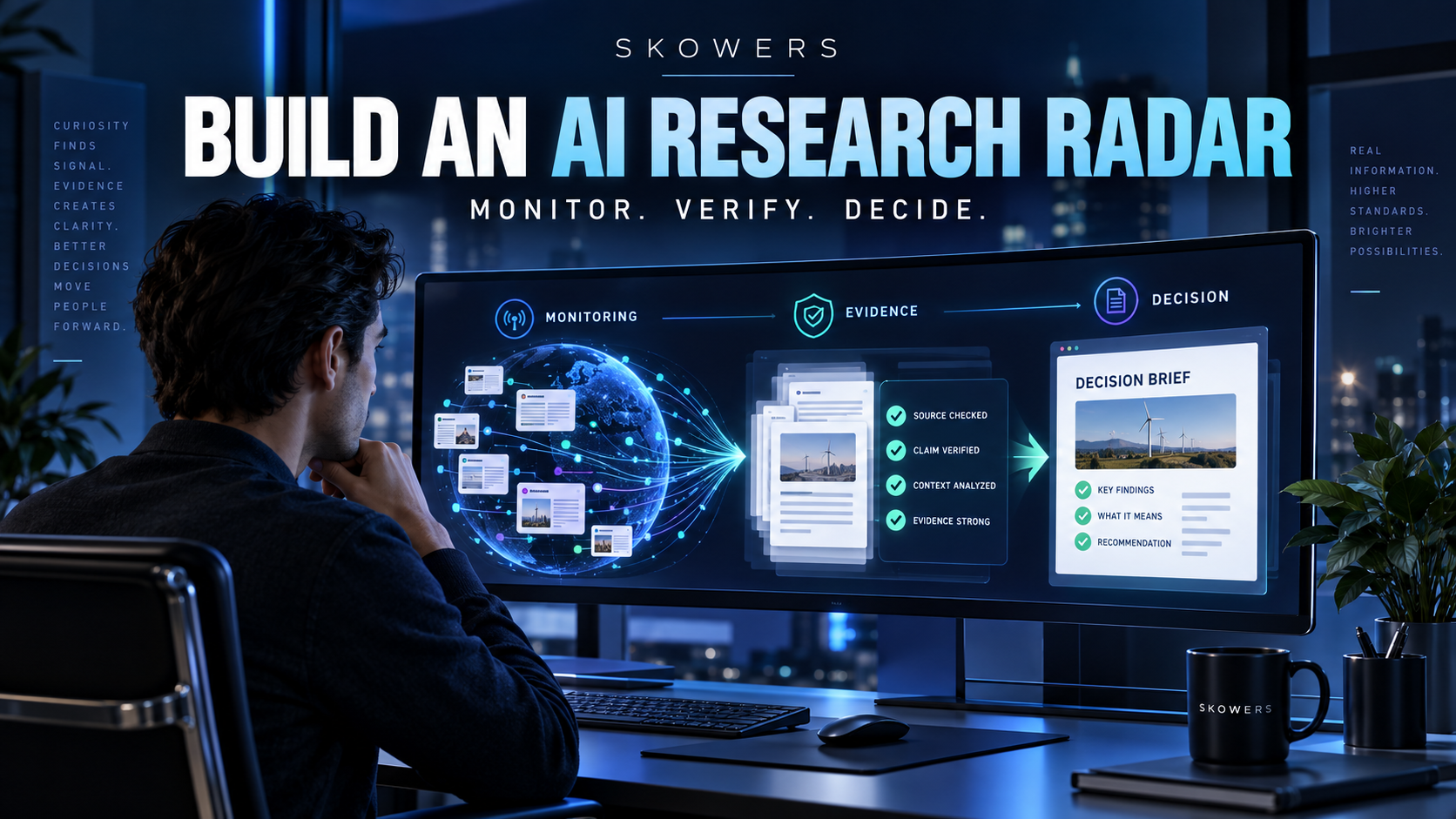
Research is one of AI’s best use cases and one of its most dangerous. A fluent summary without evidence can move a company confidently in the wrong direction.
A practical stack:
- Consensus for research-backed answers and evidence discovery.
- Browse for approved web monitoring, structured extraction, and recurring competitive intelligence.
- Airia for business-data analysis, dashboards, and decision support.
- Databox for operational dashboards that keep conclusions connected to company metrics.
- n8n for scheduled collection, routing, and alerting.
Research workflow
- Write the decision before the research question. “Should we enter this market?” is stronger than “tell me about this market.”
- Use Consensus to find evidence and competing conclusions.
- Use Browse to monitor permitted public sources such as competitor pages, pricing, availability, or announcements.
- Route changes through n8n into a structured research inbox.
- Use Airia and Databox to compare external findings with actual company performance.
- Publish a short brief separating supported facts, hypotheses, unknowns, and next experiments.
What stays human: source selection, interpretation, uncertainty, ethics, strategic tradeoffs, and the final decision.
The metric: decisions improved, hours saved, source coverage, and percentage of claims with traceable evidence.
7. Accounting Operations: Replace Chasing, Sorting, and Reporting
AI can improve accounting operations. It cannot replace licensed accounting judgment, tax advice, internal controls, or an accountable financial owner.
That boundary is not a weakness. It is the design.
A practical stack:
- n8n for document intake, routing, reminders, and synchronization with your approved accounting system.
- Bidx for supplier discovery, RFQs, procurement workflows, and purchase visibility.
- Airia for analyzing approved business data and surfacing trends.
- Databox for cash, revenue, expense, and operating dashboards.
- Your existing bank and accounting ledger remain the system of record.
Accounting-operations workflow
- Incoming invoices and receipts enter one controlled inbox.
- n8n saves the document, extracts basic fields, checks for duplicates, and routes it to the correct approver.
- Approved purchasing requests can use Bidx to organize supplier discovery and quote comparison.
- Transactions are posted only through the approved accounting process—not by an unsupervised agent.
- Databox shows agreed metrics such as cash balance, receivables, gross margin, recurring spend, and runway.
- Airia helps investigate changes and prepare questions for the financial owner.
- A qualified bookkeeper, accountant, or controller reviews reconciliations, classifications, filings, and controls.
What stays human: payment approval, bank access, reconciliations, tax, compliance, material classifications, forecasts, and fiduciary accountability.
The metric: close time, missing-receipt rate, overdue receivables, approval time, and reporting accuracy.
The Central Nervous System: Build One Approval Queue
Seven disconnected AI tools create a new kind of chaos. The company needs one place where consequential work waits for human approval.
Use n8n to create a simple control loop:
- Input: form, email, CRM event, support ticket, file, scheduled check, or dashboard threshold.
- Context: retrieve only the approved data needed for the task.
- Draft or action plan: let the specialist tool prepare the work.
- Validation: check required fields, evidence, policy, duplicate risk, and confidence.
- Approval: send consequential actions to a human queue.
- Execution: publish, send, update, or route only after approval.
- Audit: record what happened, which version ran, and who approved it.
- Measurement: connect the output to a real business metric.
This is the difference between an AI toy and an AI operating system.
A Realistic Cost Model
Do not buy every tool in this guide on day one.
A lean company might start with:
- One orchestration layer: n8n.
- One demand engine: BabyLoveGrowth or Adcreative.
- One sales system: Apollo plus , or an integrated option such as Amplemarket.
- One support layer: Tidio, Typewise, or SleekFlow AI.
- One creative workspace: Gamma plus a media tool only when needed.
- One scheduling assistant: Lindy or Reclaim.
- One research source: Consensus.
- One scoreboard: Databox.
Depending on plans, volume, and team size, software may cost a fraction of one full-time hire. But subscription cost is not the full cost. Include implementation, data cleanup, monitoring, training, and human review.
The goal is not the cheapest stack. The goal is a stack that returns more hours, pipeline, customer retention, and decision quality than it consumes.
The 30-Day Rollout
Days 1–3: Measure the work
Track repetitive work for three days. Record task, frequency, time, inputs, outputs, risk, and current owner. Do not automate vague frustration. Automate a named workflow.
Days 4–7: Choose one low-risk win
Good first targets:
- Meeting notes into tasks.
- Lead-form routing.
- Content brief into production checklist.
- Support intake and classification.
- Invoice intake into an approval queue.
Avoid autonomous payments, public publishing, refunds, contract commitments, and destructive system changes.
Week 2: Build the human approval loop
Connect the trigger, context, draft, approval, execution, and audit record. Test normal cases, missing data, duplicates, API failure, and low-confidence output.
Week 3: Add the scoreboard
Track:
- Minutes saved per run.
- Error and exception rate.
- Approval rate.
- Rework required.
- Cost per successful output.
- Business result affected.
If the workflow creates more cleanup than value, simplify it.
Week 4: Add the second function
Only expand after the first workflow runs reliably. Reuse the same patterns: intake, context, approval, execution, audit, measurement.
Where This Strategy Fails
Replacing a $250,000 workload with AI fails when:
- The company automates a broken process instead of fixing it.
- Nobody owns the source data.
- Tools are allowed to invent facts or policies.
- Every app becomes another isolated dashboard.
- The founder measures output instead of outcomes.
- Customers cannot reach a human.
- The system can spend money, send promises, or change records without limits.
- The company cuts expertise before the automation has proven reliable.
The smartest sequence is automate first, measure second, reorganize third. Do not make irreversible staffing decisions based on a demo.
When You Should Still Hire
Hire when:
- Strategy requires full-time ownership.
- The workflow needs deep domain judgment.
- Relationships create the value.
- Volume has outgrown exception-based review.
- Regulation or fiduciary responsibility requires qualified accountability.
- A specialist can create a moat rather than merely process a queue.
AI changes the timing and shape of hiring. It does not make excellent people obsolete.
The strongest small companies will hire fewer general-purpose queue processors and more high-agency owners: people who set standards, make decisions, build relationships, and improve systems.
The Final Blueprint
The seven-function AI company looks like this:
- Marketing creates and distributes demand.
- Sales finds and follows up with the right accounts.
- Support resolves known issues and escalates exceptions.
- Design converts approved briefs into polished first drafts.
- Scheduling protects time and closes meeting loops.
- Research delivers evidence instead of tabs.
- Accounting operations route documents and surface financial questions.
- n8n connects the work.
- A human approval queue controls consequential actions.
- Databox proves whether the system works.
That is how a lean company covers $250,000 worth of functional workload without pretending software has judgment, taste, empathy, or accountability.
Start with one bottleneck. Name the metric. Build the approval gate. Keep the system only if it earns its place.

Related Articles
Continue Your Research