

Close AI
AI-powered CRM and sales platform built to automate follow-up, manage pipeline stages, and close deals faster.
Use the Skowers link to open Close AI's trial page and test the workflow before committing.
Free Trial Available
Best next step: open the trial page, test one real workflow, and decide if it belongs in your stack.
Skowers brief
Automate Your Sales Pipeline with Close AI (AI Follow-Ups & Sequences)
YouTubeSkowers shows how Close AI keeps a sales pipeline moving with AI follow-ups and sequences: calling, email, SMS, and next actions in one CRM instead of a stack of disconnected tools.
Open the Automate Your Sales Pipeline with Close AI (AI Follow-Ups & Sequences) player pageAbout Close AI
Close AI is a modern CRM for sales teams that want speed, automation, and cleaner execution across the pipeline. It combines contact management, communication workflows, and AI-assisted follow-up in one workspace so reps can spend less time on admin and more time in conversations that move deals forward. Teams can build reusable outreach sequences, automate reminders, log activity automatically, and keep every lead organized by stage and priority. With centralized deal views, smart task automation, and performance visibility, Close AI helps founders, agencies, and sales teams scale outbound and inbound processes without the complexity of enterprise CRM suites.
Discover more sales & crm tools and business software on Skowers, the hyper-curated directory for business growth so you can find what is the best AI right now. Find vetted tools with exclusive free trials and business software to scale your operations.
Close AI editorial rating
Reviewed by Skowers Editorial Team · Updated July 13, 2026
4.8/5
Skowers rates Close AI 4.8 out of 5 for teams evaluating sales & crm software. This editorial review focuses on practical business fit, setup clarity, core strengths like Pipeline Management, AI Follow-up Workflows, Sequence Automation, and whether the tool is worth testing for CRM, Sales Automation, Pipeline. Close AI is strongest as a shortlist candidate when you can test it against one real workflow, compare the time saved or revenue impact, and confirm the integrations match your current stack.
Review focus
Sales & CRM fit, setup path, and realistic business use.
Best signals
Pipeline Management, AI Follow-up Workflows, Sequence Automation
Test before keeping
Use the free trial on one real workflow before committing.
Product video
Watch Close AI: overview video
See how Close AI works in this product overview, then open the free trial and test a real workflow.
Close AI Product Video
YouTubeClose CRM and Chloe: what you are actually getting
Close is a sales CRM built for teams that prospect, qualify, follow up, and move opportunities toward a decision. The core product is officially Close or Close CRM. Chloe is the AI sales teammate built inside it.
That distinction matters. Close is not a standalone chatbot or an AI dialer attached to a spreadsheet. It combines lead records, opportunities, pipeline stages, communication history, workflows, reporting, and sales automation. Chloe can work from that context to call and qualify leads, capture conversations, book meetings, prepare follow-up, and update CRM records.
The practical goal is not to remove skilled salespeople. It is to reduce delayed responses, repetitive administration, inconsistent follow-up, and the gaps created when customer activity is spread across several apps.
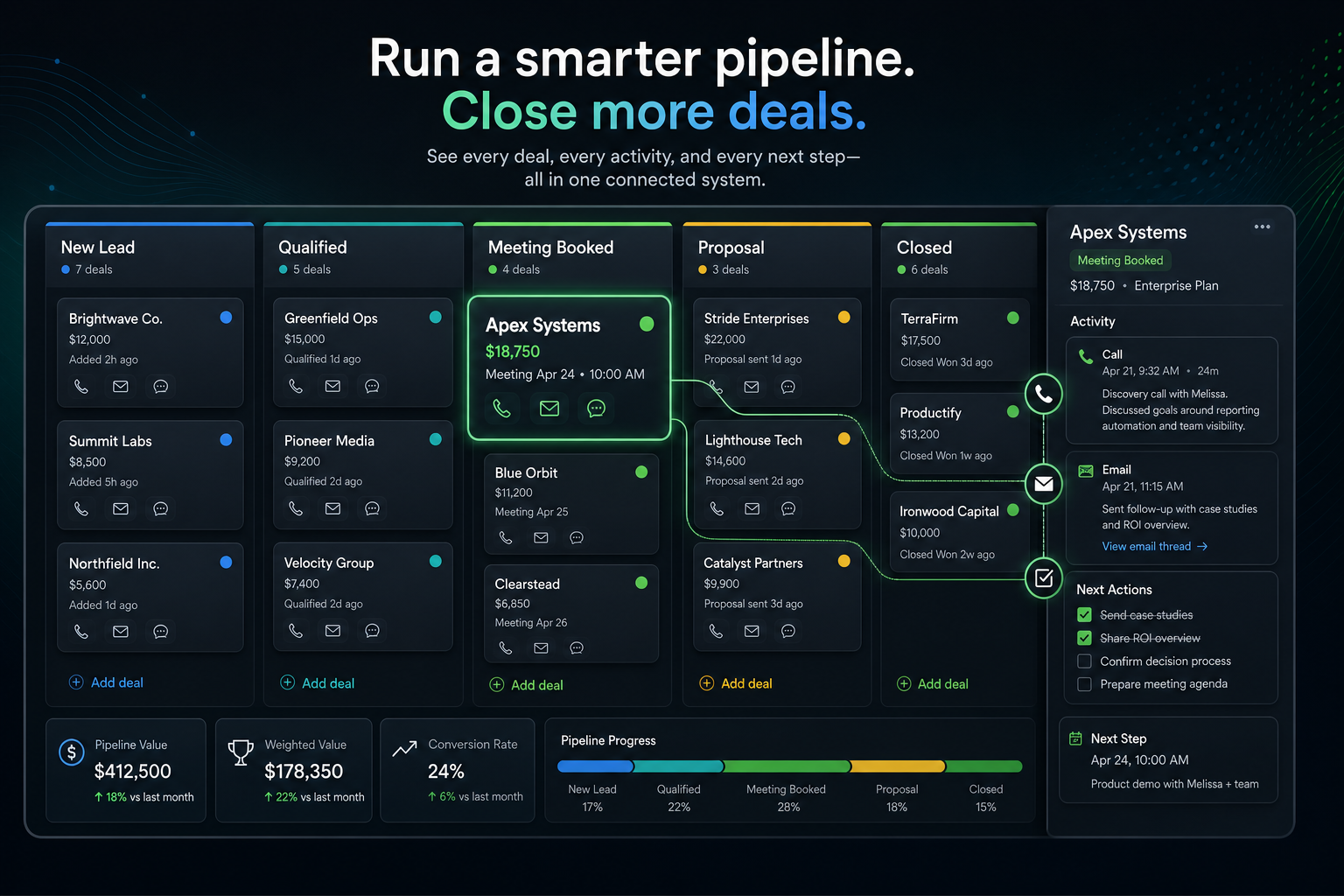
How the Close sales workspace fits together
Close connects the customer record with the channels and actions used to advance it. The value comes from those parts updating one another instead of living in separate tools.
Calling
Call from the CRM, preserve the activity history, and use recordings, transcripts, summaries, and action items where available. This is especially useful for inside-sales teams where speed-to-lead and call volume matter.
Send individual or bulk email, reuse templates, automate follow-up, and keep replies attached to the lead. Representatives can see the conversation without reconstructing it from private inboxes.
SMS
Use one-to-one or automated SMS alongside calls and email. A team can choose the channel that fits the buyer instead of forcing every prospect through an email-only sequence.
Workflows
Combine timing rules, triggers, email, SMS, calls, and tasks into repeatable motions for inbound leads, demo follow-up, no-shows, dormant opportunities, and renewals.
What to configure before you scale
- Import contacts and map lead source tags so reporting stays trustworthy.
- Build one 3-step follow-up sequence for warm leads before creating more sequences.
- Add your real pipeline stages and assign owner rules.
- Set response-time alerts for high-intent replies so hot leads do not sit untouched.
Automations worth launching first
- Auto-create tasks when a lead replies with pricing intent.
- Pause sequences after positive reply detection so humans can take over.
- Trigger no-show rebooking follow-up immediately.
- Route hot leads to senior representatives automatically.

Suggested prompts for Close workflows
Use these as starting points while you build qualification rules, follow-up drafts, and objection handling inside your sales process.
Lead Qualification Prompt
Classify this inbound lead into ICP tier, urgency, and likely budget range. Recommend next action in 2 sentences.
Follow-Up Prompt
Write a short follow-up email for a lead that opened but did not reply. Keep it concise, personalized, and meeting-focused.
Objection Handling Prompt
Draft a response for a lead saying they are already using another CRM. Highlight migration simplicity and immediate value.
Who should shortlist Close?
- Founder-led teams that need sales structure without a full-time CRM administrator.
- Startups and SaaS companies running active inbound and outbound sales motions.
- Agencies and consultancies managing a live prospect pipeline.
- Inside-sales teams that rely heavily on calls, email, and SMS.
- Teams replacing a patchwork of CRM, dialer, sequencing, and follow-up tools.
- Organizations losing opportunities because response time or follow-up is inconsistent.
When Close may not be the right fit
Close is deliberately sales-focused. That clarity is useful, but a large enterprise may need a broader ecosystem for highly specialized governance, complex custom-object architecture, marketing, service, or commerce operations.
- Confirm the communication channels and reporting controls your team requires.
- Map integrations and migration needs before importing the full database.
- Estimate calling, SMS, and AI usage rather than comparing subscription price alone.
- Check whether representatives will genuinely work inside the system every day.
- Compare Close with a simpler contact manager if your sales motion is low volume.
Example: speeding up inbound sales
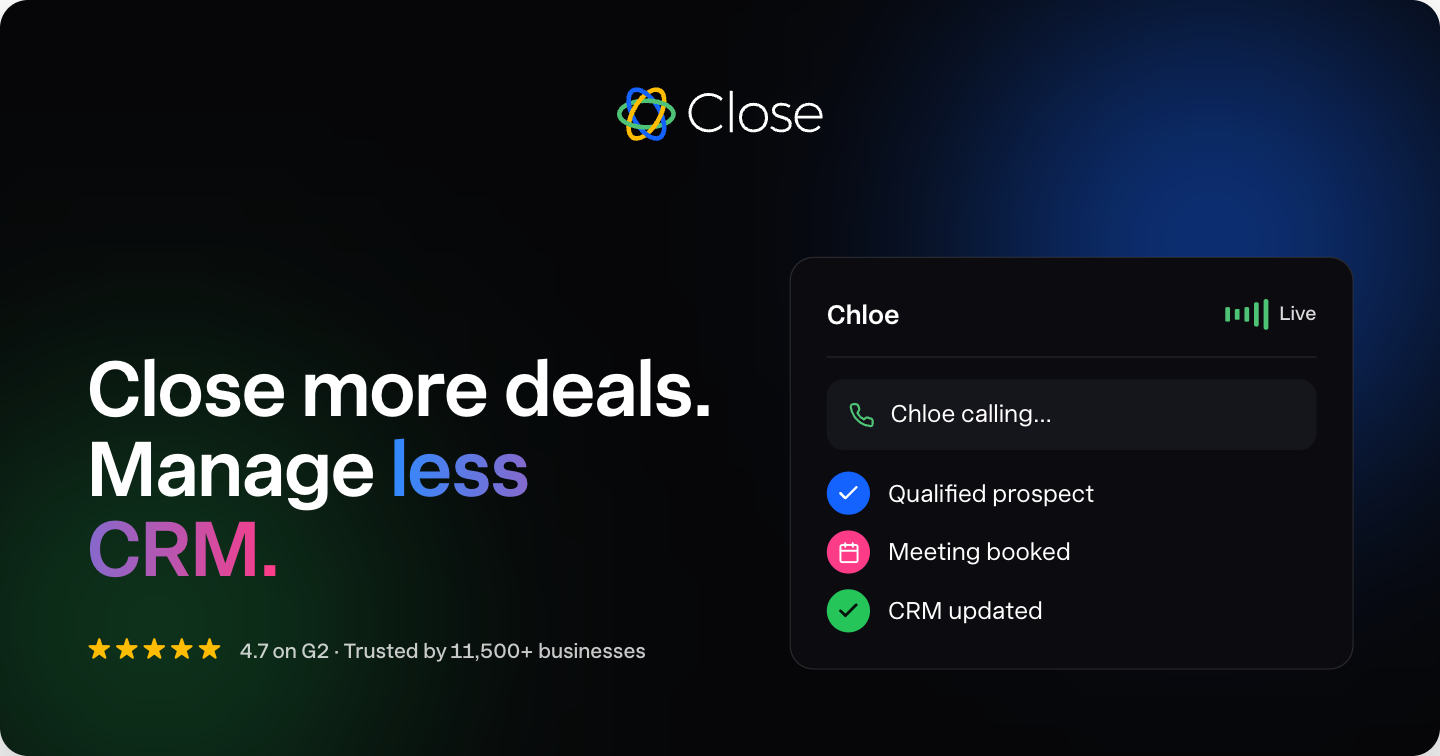
Imagine a software company collecting demo requests. Without a coordinated system, a form submission waits in an inbox, a representative calls hours later, and the notes never make it back into the CRM. Close can route the lead into a pipeline, trigger immediate activity, use Chloe to begin qualification, record the result, and hand a qualified meeting to a human seller.
- 1A new inbound lead enters the correct pipeline.
- 2Chloe calls using the team’s qualification criteria.
- 3The conversation is transcribed and summarized.
- 4Relevant fields and the opportunity stage are updated.
- 5A meeting is booked or follow-up is prepared.
- 6The assigned representative receives the full context.
Test Close with real sales work
Do not spend the trial touring every setting. Import a small representative lead set and run one complete motion from first contact to next action.
- 1Connect the communication channels your team uses most.
- 2Create your actual pipeline stages and ownership rules.
- 3Build one workflow for a valuable scenario such as demo follow-up.
- 4Test a call, email, SMS, and meeting handoff.
- 5Review how accurately activity and next steps are captured.
- 6Test Chloe against your real qualification criteria.
- 7Measure response time, admin time, and follow-up completion.
Your keep-or-cancel scorecard
Selling activity
Did representatives complete more useful outreach with less tab switching?
CRM quality
Did records become more complete without creating more manual work?
Follow-up speed
Did qualified leads receive a faster and more consistent response?
Adoption
Could the team understand the next action without an administrator explaining it?
Total cost
Does the value justify the plan plus expected calling, SMS, and AI usage?
Want the editorial product breakdown?
Everything you need to evaluate Close is on this page. For the sponsored Alpha article with additional video context and buyer narrative, open the editorial write-up next.
Key Features
Tags
Who should try Close AI?
Close AI is worth evaluating if you need a sales & crm tool with a practical path to testing value quickly. It is especially relevant for teams comparing options around CRM, Sales Automation, Pipeline.
Where Close AI can help
Organize prospects, follow-ups, and deal activity in one workflow.
Reduce manual sales admin so the team can spend more time in conversations.
Create a more predictable path from lead research to booked meetings or closed deals.
How to judge if Close AI is a good fit
- Confirm the main workflow matches your sales & crm goal.
- Check whether setup can be completed without slowing down the team.
- Review integrations with your current software stack.
- Compare the time saved or revenue impact against the ongoing cost.
- Look for documentation, support, and export options before relying on it.
A practical way to test Close AI
- 1Pick one sales & crm workflow you already need to improve.
- 2Use Close AI's Pipeline Management on a real task, not a demo scenario.
- 3Check setup time, integrations, team handoff, and whether the output is better than your current process.
- 4Decide before the trial ends whether the result is worth keeping in your stack.
Common questions about Close AI
What is Close AI best for?
Close AI is best for teams evaluating sales & crm software. Its main strengths on Skowers are Pipeline Management, AI Follow-up Workflows, Sequence Automation.
Does Close AI offer a free trial or free plan?
Close AI is listed on Skowers as a free-trial tool, so the best next step is to open the trial page and test it on one real workflow before committing.
How should I test Close AI before signing up?
Start with one real use case, confirm the setup time, test the most important features, and compare the result against your current workflow before expanding usage.
What should I compare Close AI against?
Related tools to compare include Typewise, Landbot, Algomo.
Keep Learning
Guides for this workflow
Related Tools
View All
Typewise
AI agent platform for customer service—launch omnichannel agents in minutes with humans in control as you scale.

Landbot
Build AI-powered chatbots and conversational experiences for lead generation, customer support, and sales automation. Deploy on web, WhatsApp, or integrate via API.

Algomo
Turn website traffic into pipeline with AI chat, visitor identification, and real-time website personalization.

Apollo
Skyrocket your sales pipeline by accessing a massive B2B database and leveraging AI to automate lead generation.
Buzz
AI SDR and sales agent platform that finds intent-ready buyers, enriches contacts, and runs personalized multichannel outbound campaigns.

Full Enrich
B2B waterfall enrichment that finds verified work emails, personal emails, and mobile numbers across 20+ data providers.