
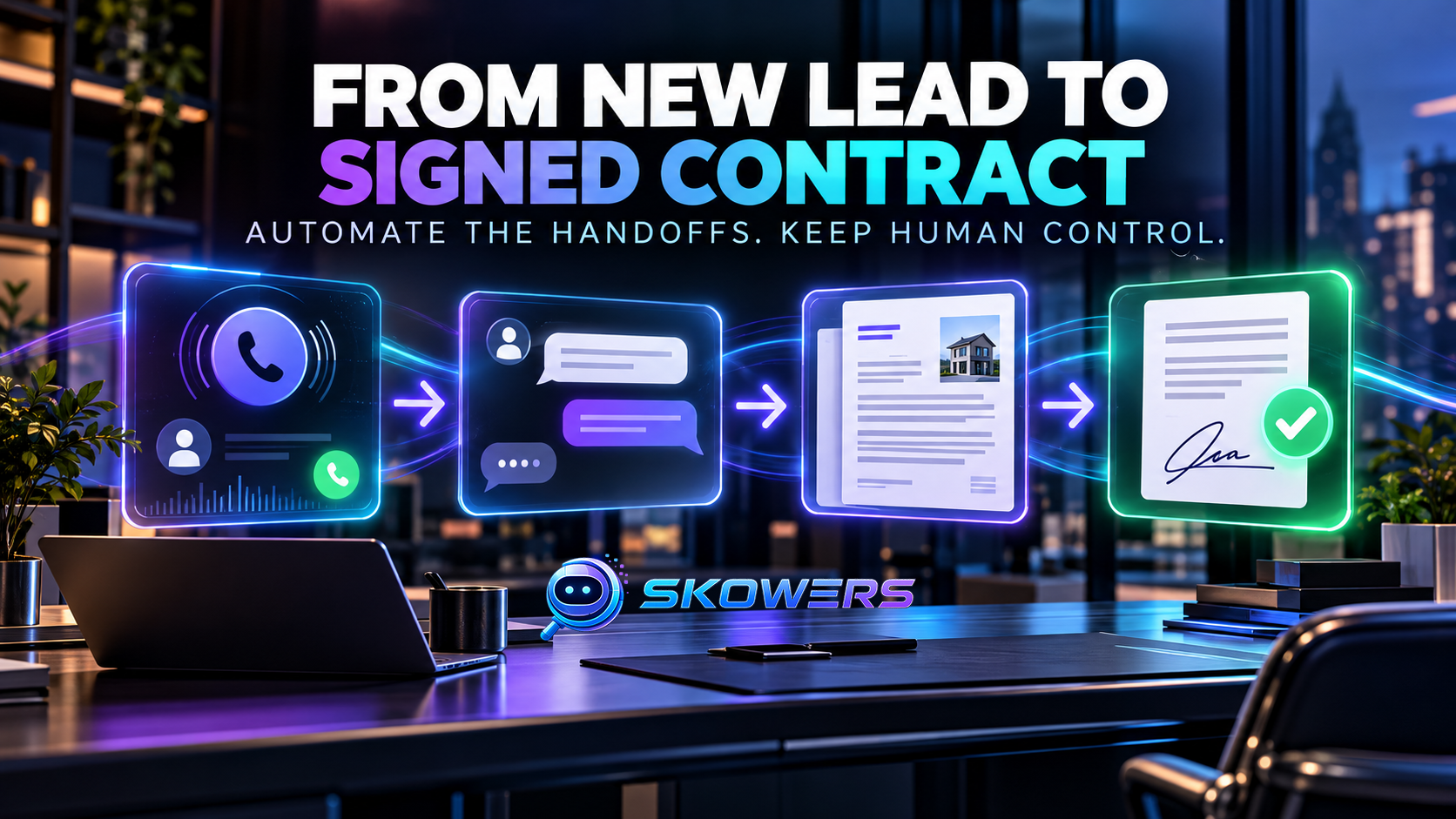
How to Automate Lead Follow-Up, Quotes, Proposals, and Contracts With AI
Most small businesses do not lose every sale because they need more leads. They lose sales in the gaps between a new inquiry, a useful reply, a clear proposal, and a signed agreement.
A lead arrives after hours. Nobody answers until the next morning. Important details live in a text thread. A proposal takes three days to assemble. The contract is sent, but the follow-up never happens. Each delay gives the customer another reason to choose someone else.
AI can reduce those gaps, but the goal is not to let software make unchecked promises. The useful model is a controlled lead-to-contract system: automation handles speed, organization, drafting, and reminders while a person keeps authority over pricing, scope, legal terms, and final commitments.
This guide shows how to build that system one stage at a time using tools already available through Skowers.
Last reviewed October 21, 2026. Product features and pricing can change. Confirm current terms with each provider before subscribing.
Skowers may earn a commission from partner links in this article at no additional cost to you. Recommendations are based on workflow fit, not commission size.
The Real Problem Is the Handoff
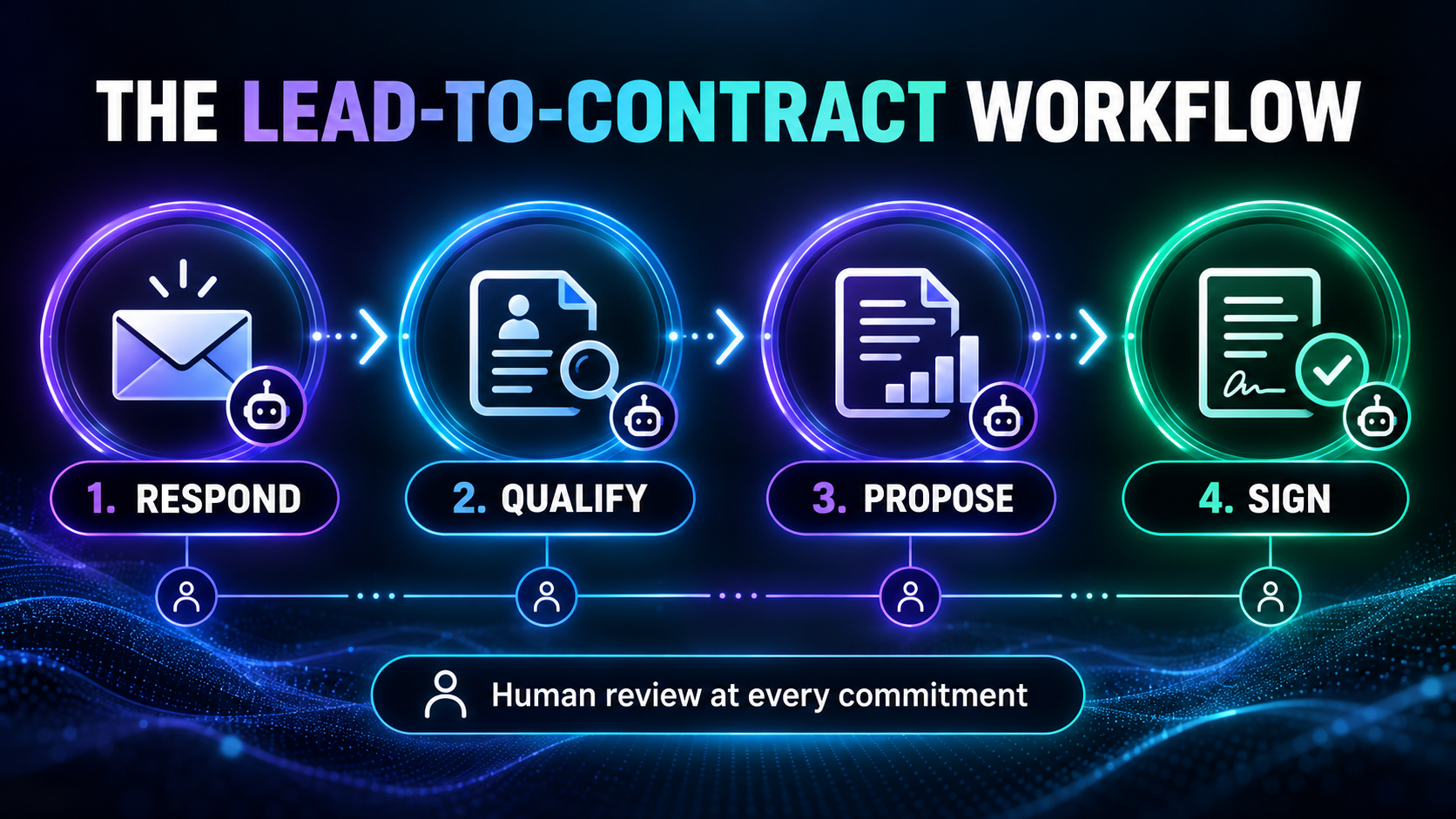
A dependable sales workflow has four connected jobs:
- Respond: acknowledge the inquiry quickly and ask the first useful question.
- Qualify: collect the information needed to decide whether the opportunity fits.
- Propose: turn confirmed requirements into a clear quote or proposal for review.
- Sign: move approved terms into a controlled contract and follow up until there is a decision.
Automating only one step can create a faster bottleneck somewhere else. A chatbot that produces ten conversations is not valuable if nobody turns them into proposals. A fast proposal generator is not enough if signed agreements disappear into an inbox.
Step 1: Respond to New Leads Faster
Speed matters most immediately after someone asks for help. The first response does not need to close the sale. It needs to confirm that the inquiry was received, establish relevance, and move the customer to the next sensible question.
FirstQuote.ai is built for this early stage. It can help respond to leads from channels such as Yelp, Thumbtack, Google Local Services, and a business website. Its job in this stack is narrow: prevent good inquiries from sitting untouched and gather enough context for a useful handoff.
A strong automated first reply should:
- Mention the service the person requested.
- Ask one or two questions, not an entire intake form.
- Set an honest expectation for the next human response.
- Avoid inventing availability, prices, warranties, or service areas.
- Escalate urgent, sensitive, or unusual requests.
Use the FirstQuote setup guide to plan the channels, response rules, and takeover boundaries before connecting live leads.
copy:Lead response instruction|Reply within two minutes when a new lead arrives. Confirm the requested service, ask for the location and preferred timing, and explain that a team member will confirm price and availability. Never promise a price, appointment, refund, warranty, or result without human approval. Escalate emergencies, complaints, safety concerns, and unusual requests immediately.
Step 2: Qualify Without Turning the Conversation Into an Interrogation
Qualification is not about rejecting people as quickly as possible. It is about collecting the minimum information needed to give the right next step.
For most service businesses, that means learning:
- What outcome the customer needs
- Where the work will happen
- When they need it
- The approximate size or scope of the job
- Whether there is a stated budget or required range
- Who will approve the work
- Whether there are safety, compliance, or access constraints
Store the answers in consistent fields so the next system does not have to interpret a messy transcript. A short structured record is more useful than a long AI summary.
Location or service area: Desired timing: Scope or quantity: Budget information provided: Decision-maker: Risks or special requirements: Missing information: Recommended next action: Human approval required: Yes / No
Step 3: Turn Qualified Opportunities Into Review-Ready Proposals
Once the facts are confirmed, AI can help organize them into a proposal. This is where Gixo can support proposal and response work. The useful role is not to invent the offer. It is to transform approved source material into a consistent draft that a person can inspect.
Give the proposal system verified inputs: the customer's objective, scope, deliverables, timeline, exclusions, approved pricing, proof, and next step. If the source packet is incomplete, the system should flag the gap instead of filling it with plausible language.
The Gixo guide explains how to separate source material from drafting instructions and build a review process around the output.
copy:Proposal drafting brief|Create a concise proposal using only the approved information below. Include the customer's stated goal, recommended scope, deliverables, timeline, exclusions, approved price, relevant proof, and one clear next step. Mark missing information as [NEEDS REVIEW]. Do not invent customer facts, guarantees, statistics, legal terms, pricing, or capabilities.
Step 4: Move Approved Terms Into a Controlled Contract
A proposal explains the offer. A contract records the approved agreement. Those are related jobs, but they should not be treated as the same document.
OneFlow is designed around digital contracts, approvals, electronic signatures, reminders, and structured agreement data. In this workflow, it begins only after the commercial details have been reviewed.
The OneFlow guide can help map templates, approval roles, signing order, reminders, and post-signature handoffs.
AI can summarize clauses or detect missing fields, but it is not a lawyer and should not be the final authority for legal language. Have qualified people review important terms, especially liability, privacy, intellectual property, cancellation, payment, and regulatory requirements.
Build the Lead-to-Contract Stack


Connect the Workflow Without Losing Control
The automation between tools should move facts and status, not give every system unlimited authority.
A practical sequence looks like this:
- A lead arrives from an approved source.
- The response assistant sends a constrained acknowledgement.
- Answers are written into structured lead fields.
- A person reviews fit, scope, and pricing.
- Approved data creates a proposal draft.
- A person checks the proposal before it is sent.
- Accepted terms create a contract from an approved template.
- Required reviewers approve the agreement.
- The customer signs electronically.
- The signed status triggers onboarding, scheduling, or billing.
The automation templates library can help you think through triggers and actions. The Prompt Library is useful for improving qualification, summaries, and review instructions. Track trials and results in the Skowers Dashboard instead of adding several paid tools at once.
Measure the Pipeline, Not the Number of AI Messages
The best metric is not how much the automation produced. It is whether the sales process became faster, clearer, and more reliable.
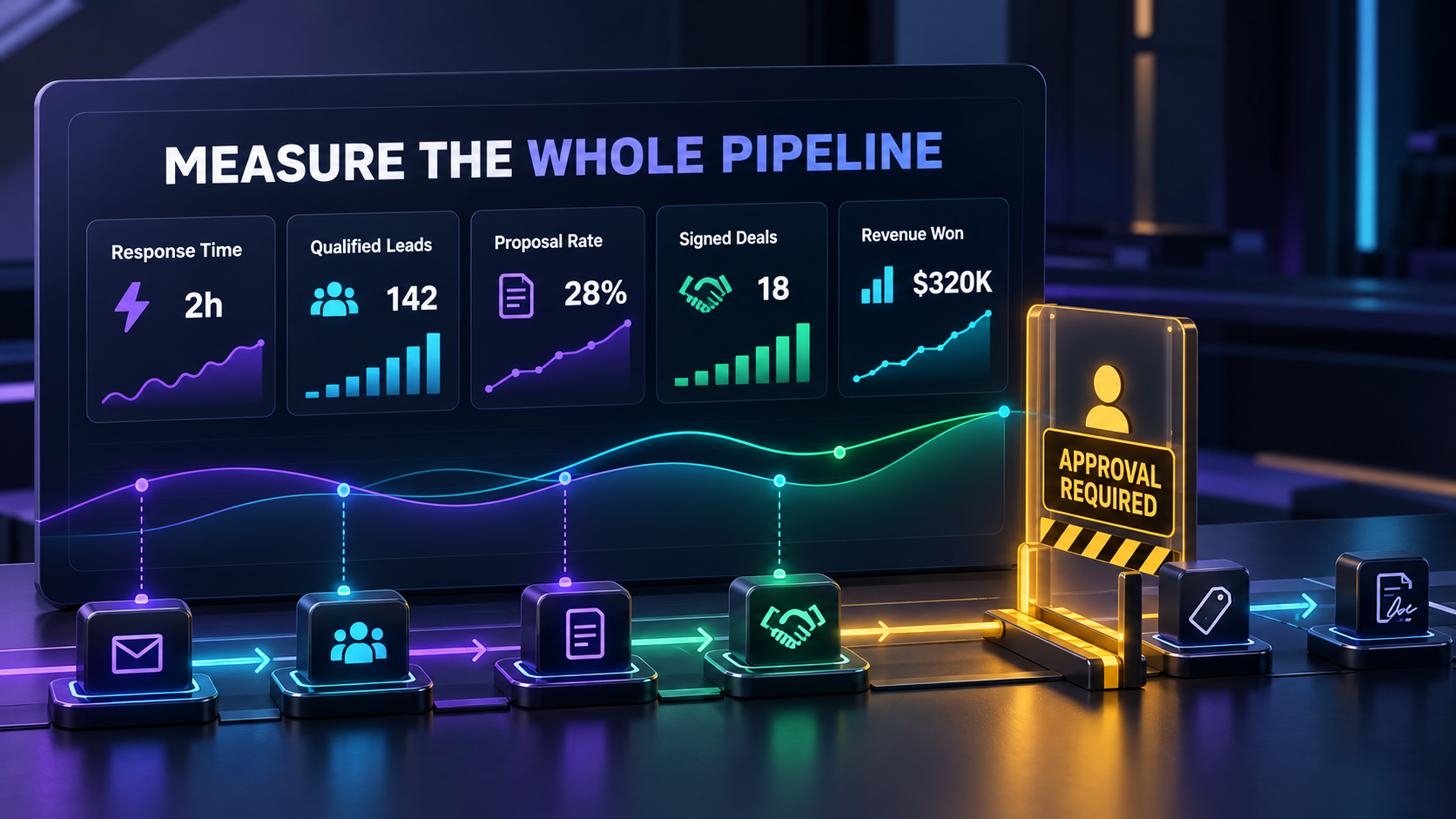
Track these numbers before and after the rollout:
- Median first-response time
- Percentage of leads that reply
- Percentage that meet your qualification rules
- Qualified leads that receive a proposal
- Proposal turnaround time
- Proposals that become signed agreements
- Revenue won and average deal value
- Cost per signed deal
- Number of drafts corrected by a person
- Complaints, wrong promises, and incorrect routing
Human corrections are especially important. A fast system that regularly misstates scope or price is not efficient; it is moving the cost downstream.
A Seven-Day Starter Plan
Day 1: Map one real path. Choose one lead source, one service, one proposal type, and one contract template.
Day 2: Define the boundaries. Write down what AI may say, what it may draft, and what always requires approval.
Day 3: Standardize the intake. Decide which fields must be collected before a proposal can begin.
Day 4: Build the first-response flow. Test normal questions, missing details, complaints, emergencies, and irrelevant inquiries.
Day 5: Build the proposal packet. Give the drafting tool approved examples and source material. Require visible flags for missing facts.
Day 6: Connect the contract handoff. Use an approved template and test reviewers, signing order, reminders, and storage.
Day 7: Run a supervised pilot. Process a small number of real leads with a person checking every external message and document.
Keep the pilot small until the error rate, response quality, and signed-deal results are acceptable.
What You Should Not Fully Automate
Keep a person involved when the workflow touches:
- Custom pricing or discounts
- Unusual scope and exceptions
- Safety or emergency situations
- Complaints, refunds, or charge disputes
- Legal commitments and negotiated clauses
- Regulated or sensitive personal information
- Guarantees, warranties, and performance claims
- Large purchases or high-value contracts
- Any situation where the source information conflicts
The point is not to remove people. It is to stop making them manually copy the same facts between inboxes, documents, and follow-up lists.
Frequently Asked Questions
Can AI automate lead follow-up for a small business?
Yes. AI can acknowledge inquiries, ask approved qualification questions, summarize answers, create reminders, and draft follow-ups. A person should retain control over pricing, availability, unusual situations, and binding commitments.
What is the best AI tool for responding to Yelp, Thumbtack, or Google Local Services leads?
The best fit depends on the channels and control you need. FirstQuote.ai is specifically relevant to rapid lead response across common local-service sources. Test it against one real source and verify its current integrations before expanding.
Can AI create quotes and proposals?
AI can draft them from approved facts, pricing, templates, and proof. It should not guess missing terms. Gixo is one option for structured proposal and response work, with human review before anything reaches a customer.
Can AI sign contracts for a business?
Electronic-signature platforms can route and record signatures, but AI should not independently accept important legal terms on your behalf. OneFlow can manage the contract workflow while designated people retain approval authority.
How much of the sales process should be automated?
Automate repetitive movement of information, reminders, first drafts, and low-risk responses. Keep people responsible for judgment, negotiation, sensitive communication, price, legal terms, and final commitments.
Choose the Right Starting Point
Do not buy the entire stack before you know where leads are being lost. Start with the first bottleneck you can measure:
- Leads wait too long for a reply: Start with FirstQuote.ai and test one active lead source. Use the FirstQuote guide to set response and takeover rules first.
- Qualified opportunities stall before a proposal: Start a Gixo trial and build one proposal from approved source material. Follow the Gixo guide to create a reliable review process.
- Approved deals get buried in contract follow-up: Explore OneFlow and test one approved agreement template. Use the OneFlow guide to map reviewers, signatures, and reminders.
Run the chosen tool against real work for two weeks. Keep it only if it improves a meaningful number such as response time, proposal turnaround, signed-deal rate, or hours saved. Skowers may earn a commission if you subscribe through these partner links, at no additional cost to you.
The Bottom Line
The best AI sales workflow does not try to replace trust. It removes preventable delay between moments where trust is earned.
Start with one lead source and one offer. Respond faster with clear boundaries. Store qualification data in a reusable structure. Draft proposals only from approved facts. Move accepted terms into a controlled contract process. Then measure signed outcomes rather than activity.
That creates a system that works after hours without pretending that judgment, accountability, and customer relationships can be automated away.
Related Articles
Continue Your Research