
AI Is Leaving the Screen: A Practical Guide to Smart Glasses, Wearables, Phones, Cars, and AI Devices
Listen: AI Is Leaving the Screen: A Practical Guide to Smart Glasses, Wearables, Phones, Cars, and AI Devices
For most of the AI era, using artificial intelligence meant sitting in front of a box.
You opened a browser, typed into a chat window, waited for an answer, and copied the result somewhere else. That experience is still useful, but it is no longer the whole story.
AI is moving into phones, glasses, earbuds, watches, vehicles, cameras, recorders, and home devices. The important change is not that every object suddenly became intelligent. The change is that AI can now receive context from the world around you and help at the moment a task happens.
Smart glasses can answer questions about what you see. Earbuds can help translate an in-person conversation. A wearable recorder can turn a discussion into searchable notes. A phone can understand what is on the screen and connect it to actions. A vehicle camera can flag safety events instead of only storing footage.
Some of these products are genuinely useful. Others add a subscription and an AI label to a task your phone already handles well.
This guide explains what has changed, where external AI products are useful, how to protect privacy, and how to decide whether a device deserves a place in your daily life.
Last reviewed October 19, 2026. Hardware, regional availability, subscriptions, and AI features change quickly. Confirm current compatibility and pricing before buying.
Skowers may earn a commission from partner links in this article at no additional cost to you. Recommendations are based on practical fit, not commission alone.
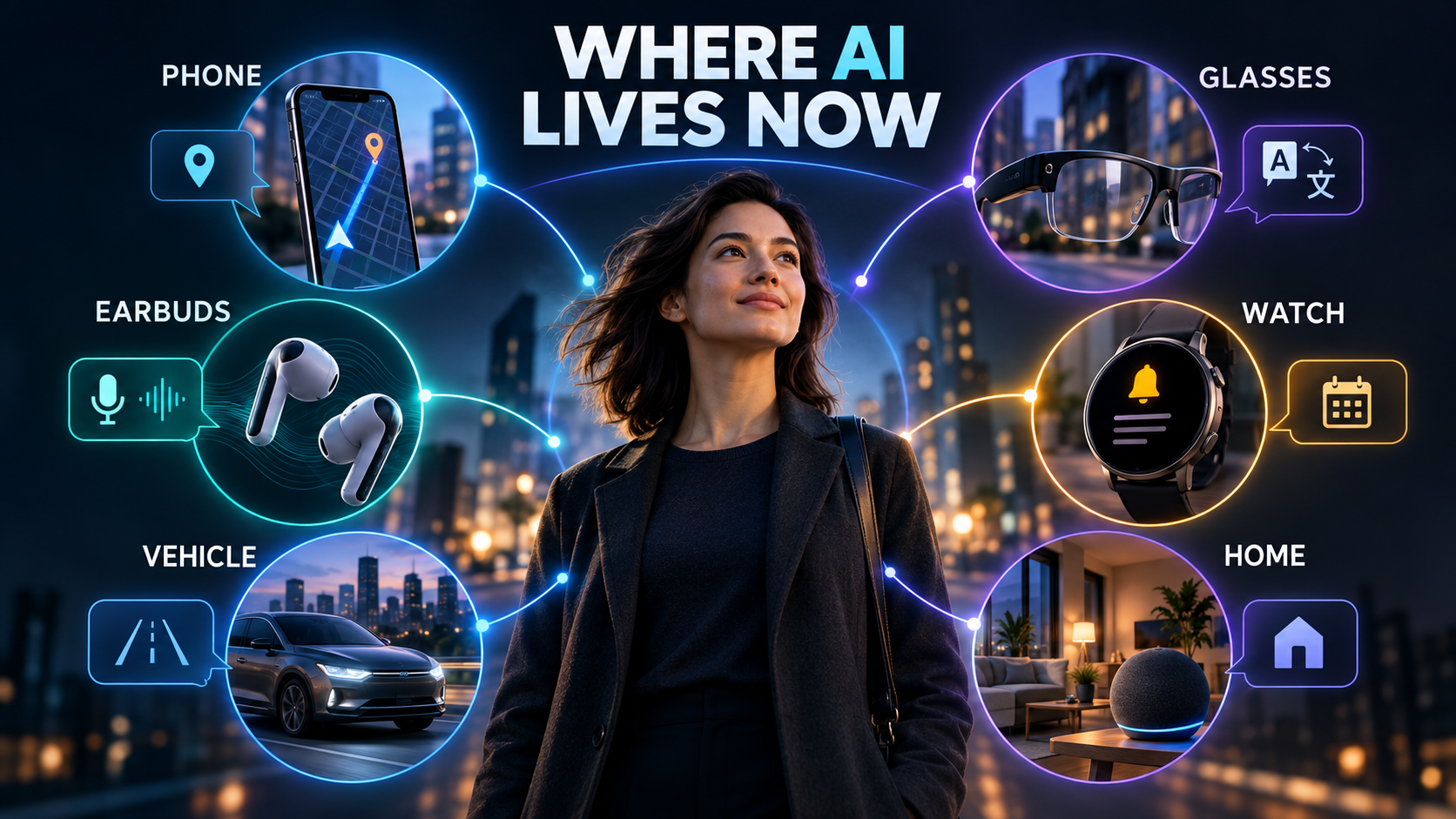
What Changed: AI Can Meet You Where the Work Happens
The desktop AI workflow begins with a deliberate prompt. External AI can begin with a situation.
- You look at a sign in another language.
- A customer calls your business number.
- A meeting begins while your laptop is closed.
- A driver brakes suddenly.
- You remember an idea while walking.
- A package arrives at the door.
- Your watch notices that a workout has started.
The device already knows something about the moment. Location, audio, motion, camera input, calendar context, or a connected sensor can reduce the amount of information you must type.
That creates the main advantage of embodied or ambient AI: less friction between noticing something and acting on it.
It also creates the main risk. A device that can understand more of your surroundings can collect more sensitive information. Convenience and privacy have to be evaluated together.
1. AI Phones Are Becoming Action Layers
The smartphone remains the center of most personal AI systems because it already contains your camera, microphone, messages, location, contacts, payments, and apps.
The useful shift is from opening a separate chatbot to invoking AI inside an existing task.
Practical examples include:
- Summarizing a long message thread
- Asking a question about what is visible on screen
- Identifying an object through the camera
- Turning a spoken idea into a formatted note
- Translating a conversation
- Finding information across messages, files, or photos
- Creating a reminder from natural language
- Drafting a reply without leaving the current app
Apple says its current Apple Intelligence and Siri AI experiences extend across iPhone, Apple Watch, AirPods, and Vision Pro, while Google continues to expand Gemini through Android and connected device categories. The important lesson is not which brand wins. It is that the phone is becoming the secure control center for a wider personal device network. See the current details from Apple and Google.
A useful phone test
Before paying for a new AI phone feature, ask whether it removes a real step.
If the old workflow was record, transcribe, copy, open another app, paste, summarize, and create a task, a feature that completes those steps together may be valuable.
If the new workflow is open a branded AI app and ask the same question you already ask elsewhere, the device may not be changing much.
For people who want voice input across their everyday apps, Wispr Flow is a Skowers-listed option for turning natural speech into text without making every thought begin at a keyboard.
2. Smart Glasses Make AI Contextual
Smart glasses may become the clearest example of AI leaving the screen because they can see and hear from your point of view while keeping your hands available.
Current and announced uses include:
- Hands-free photos and video
- Spoken questions about the environment
- Directions without holding a phone
- Live translation
- Reading or describing visible information
- Listening to audio
- Sending messages
- Remembering visual details for later
Google announced Android XR intelligent eyewear from partners including Warby Parker and Gentle Monster, with features such as directions, messages, photos, and contextual assistance. Meta says its AI glasses are already used for hands-free capture, audio, and assistant access. Availability and exact capabilities differ by model and region. Read the current announcements from Google and Meta.
Where glasses are genuinely useful
Smart glasses have the strongest case when taking out a phone would interrupt the activity.
- A traveler needs directions while carrying luggage.
- A technician needs a checklist while both hands are occupied.
- A parent wants a quick photo without reaching for a device.
- A person with low vision needs an audio description.
- A worker needs translation during an in-person exchange.
Where glasses can go wrong
The camera and microphone are socially sensitive. A product can be legal and still make people uncomfortable.
Use visible recording indicators. Ask before recording private conversations. Do not wear camera-enabled devices where recording is prohibited. Review what is stored locally, what is uploaded, how long data remains, and whether voice or image content trains a model.
The best smart glasses should make the wearer more present, not give everyone else a reason to wonder whether they are being recorded.
3. Earbuds and Watches Turn Voice Into the Interface
Earbuds and watches are less visually dramatic than glasses, but they may be more practical because people already wear them.
Useful jobs include:
- Live translation
- Spoken reminders
- Workout coaching
- Message summaries
- Voice notes
- Navigation cues
- Fast answers while walking or driving
- Safety and accessibility alerts
The strongest feature is not conversation for its own sake. It is a short exchange that produces an action.
“Remind me to send this when I arrive at work” is more valuable than a five-minute answer that disappears when the conversation ends.
Voice quality matters too. ElevenLabs can support natural speech, multilingual audio, and voice experiences for creators or businesses building spoken interfaces. Hume is relevant when a voice product needs to respond to tone and expression instead of treating every sentence as emotionally identical.
These services are not consumer earbuds themselves. They are examples of the voice layer that can make external devices feel less mechanical.
4. Wearable Recorders Can Become External Memory
Wearable AI recorders are designed around a simple promise: capture a conversation or idea now, then turn it into useful information later.
Products such as Plaud NotePin combine a small wearable recorder with transcription, summaries, and templates. The current product page describes wearable recording and plan-based transcription features. Review the latest terms directly from Plaud.
This category is useful for:
- Meetings
- Interviews
- Field notes
- Lectures when recording is permitted
- Personal idea capture
- Client visit summaries
- Spoken task lists
The real value is not the recording. It is the retrieval system.
A recorder becomes helpful when you can reliably find:
- Decisions
- Names
- Commitments
- Deadlines
- Questions that remain unanswered
- Exact moments that require review
Use this transcript only as source material.
Return: 1. Decisions that were explicitly made 2. Action items with owner and due date 3. Questions that remain open 4. Statements that need verification 5. A short follow-up draft
Do not invent commitments, owners, dates, or facts that are not in the transcript.
The consent rule
Do not treat a wearable recorder as permission to capture every room.
Recording laws differ by location. Workplace policy may be stricter than local law. Sensitive meetings may include customer data, health information, legal advice, financial details, or confidential company plans.
Ask first. Make the recording visible. Give people a non-recorded option. Delete raw audio when retention is no longer justified.
5. Vehicles Are Becoming Mobile AI Systems
AI in a vehicle is most valuable when it improves safety, communication, or awareness without demanding more visual attention.
Consumer features may include voice controls, navigation assistance, message handling, charging or route planning, and explanations about the vehicle.
For businesses, the larger opportunity is fleet intelligence.
SureCam combines connected dashcams, vehicle visibility, driver behavior information, and incident workflows. Instead of reviewing hours of footage after a problem, a fleet can focus on safety events, evidence, coaching, and operational patterns.
A useful vehicle AI system should:
- Reduce distraction
- Surface events that need attention
- Preserve the original evidence
- Explain why an event was flagged
- Limit who can view footage
- Set retention rules
- Keep disciplinary or insurance decisions with qualified humans
A system that generates more alerts than anyone can review is not intelligent. It is a new inbox.
6. AI Calling Can Give a Phone Number More Context
The phone is still one of the most important external business devices. AI can help connect calls to records and follow-up without forcing a salesperson or service worker to take notes while speaking.
KrispCall is a Skowers-listed cloud phone option with mobile access, call recording, voicemail transcription, analytics, and CRM connections.
A responsible AI calling workflow might:
- Notify the caller if recording is active.
- Transcribe the call.
- Draft a factual summary.
- Match the call to the correct customer record.
- Suggest tasks or follow-up.
- Require a person to approve promises, pricing, refunds, or sensitive changes.
The purpose is not to make every call sound automated. It is to protect the human conversation from the administrative work surrounding it.
7. Smart Home AI Should Reduce Friction, Not Add Another Dashboard
AI home devices can help with routines, accessibility, energy awareness, entertainment, reminders, and household coordination.
Good use cases are small and repeatable:
- Announce a reminder in the room where it matters
- Adjust a routine based on whether someone is home
- Summarize a doorbell event
- Help locate a connected device
- Translate a spoken exchange
- Create a shared grocery or task list
- Provide hands-free accessibility controls
Avoid buying a device because it promises a general AI personality. Start with a household problem.
“We forget whether the garage door is closed” is a problem.
“We need AI in the kitchen” is not yet a problem.
The Real-World AI Device Test
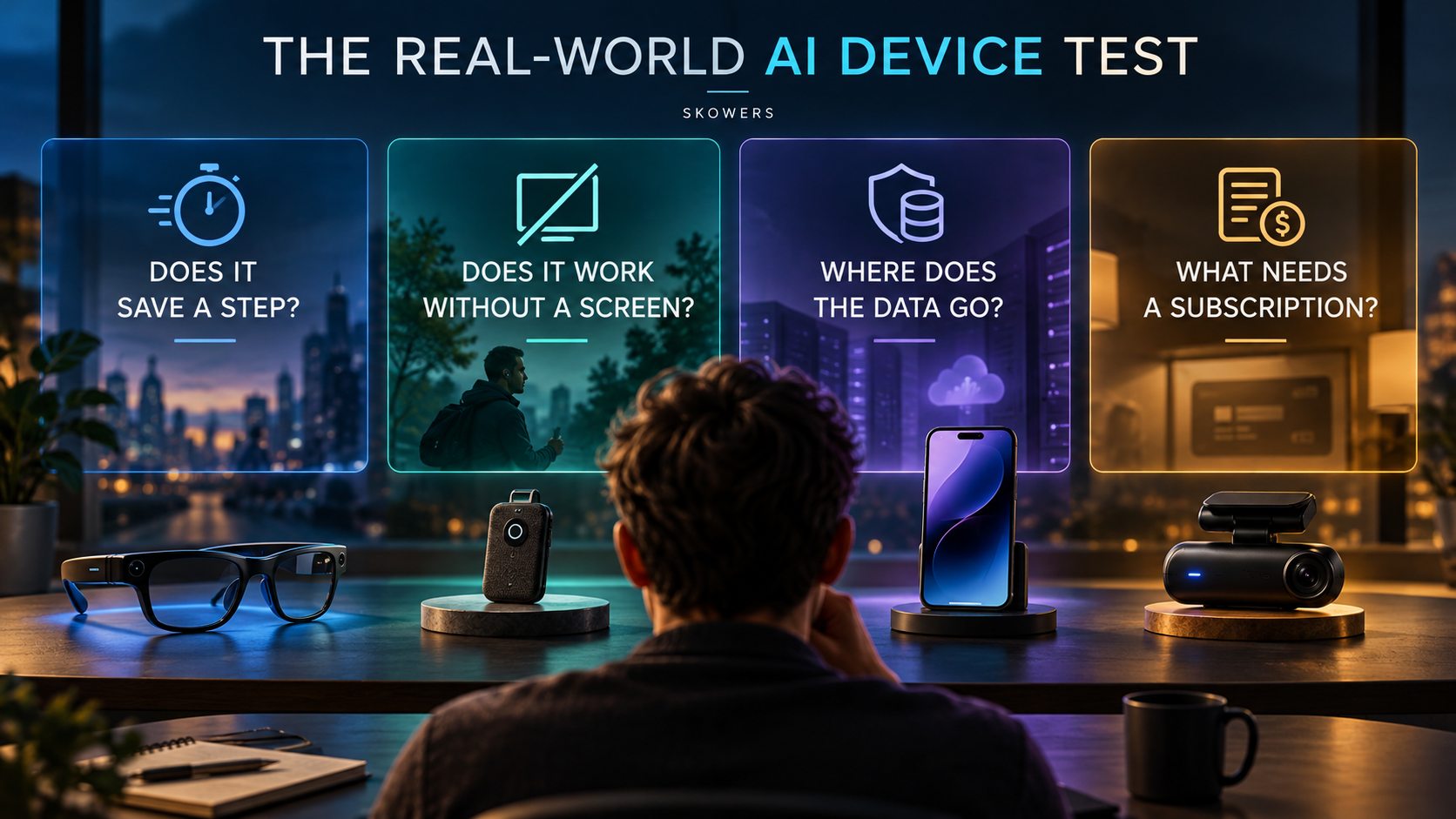
Use this test before buying any AI-enabled object.
1. Does it save a physical or mental step?
Count the old workflow and the new workflow. Include charging, opening apps, exporting data, correcting summaries, and managing subscriptions.
2. Is the form factor necessary?
Glasses are useful when hands-free vision matters. A wearable recorder is useful when reaching for a phone would lose the moment. A dedicated device is wasteful when the phone already does the job equally well.
3. What happens without internet access?
Ask which features work locally, which require cloud processing, and what happens when the service is unavailable.
4. Where does the data go?
Check whether audio, images, location, health signals, contacts, or vehicle footage leave the device. Review retention, deletion, sharing, training, and account security.
5. What requires a subscription?
The hardware price may not be the full price. Transcription minutes, storage, advanced models, cellular access, premium summaries, or analytics may require recurring payment.
6. Can you export your information?
Useful data should not be trapped. Look for export options for transcripts, recordings, notes, photos, and reports.
7. Can you tell when the AI is uncertain?
An external device can act at the wrong moment. It should expose uncertainty, show sources when possible, and make correction easy.
Product: [name] Problem it solves: [one sentence] Steps removed each week: [number] Works without phone nearby: [yes/no/partly] Works without internet: [yes/no/partly] Data collected: [audio, image, location, health, contacts, other] Cloud retention: [policy] Export available: [yes/no] Upfront cost: [amount] Annual subscription cost: [amount] Human approval or correction: [how it works] Reason to buy instead of using my phone: [one sentence]
Build a Useful Mobile AI Stack Without Buying Everything
Start with the device you already own.
The phone-first stack
- Use built-in phone AI for camera, screen, translation, and reminders.
- Add Wispr Flow if voice-to-text across apps removes meaningful typing.
- Add KrispCall if a business number, call records, and mobile CRM workflows are the real need.
The voice-product stack
- Use ElevenLabs for natural multilingual or branded voice output.
- Use Hume when emotional tone and conversational responsiveness matter.
- Keep consent, disclosure, and a human escalation path visible.
The vehicle-business stack
- Use SureCam when fleet safety, incident evidence, and operational visibility justify dedicated hardware.
- Define who can review footage and why.
- Measure preventable incidents and coaching outcomes, not camera volume.
Do not buy all three stacks. Choose the environment where a screen currently creates the most friction.
A Seven-Day Trial Plan
Day 1: Name the moment
Write down the exact moment when AI should help. Walking, driving, meeting, calling, translating, exercising, or managing the home are different jobs.
Day 2: Use your current phone
Try to solve the problem with existing phone features. This establishes the baseline a new device must beat.
Day 3: Test capture quality
Check microphone, camera, transcription, and sensor accuracy in the real environment, not a quiet demonstration.
Day 4: Test retrieval
Can you find the important fact later? Capture without retrieval is digital clutter.
Day 5: Test privacy controls
Find deletion, retention, permission, recording, and export controls before trusting the device with sensitive information.
Day 6: Count corrections
Track how often you fix names, dates, directions, translations, or summaries.
Day 7: Calculate the real cost
Include hardware, accessories, replacement risk, data plans, subscriptions, storage, and your time correcting output.
Keep the product only if it improves a repeated part of life after those costs are included.
Common Mistakes
- Buying a device before naming the problem.
- Assuming “AI” means the processing happens on the device.
- Ignoring subscription costs after the first year.
- Recording people without clear consent.
- Treating health or safety suggestions as professional decisions.
- Trusting summaries without checking the original source.
- Adding another notification stream instead of removing one.
- Buying several devices that all depend on the same phone.
- Forgetting that cloud services can change or close.
- Confusing an impressive demonstration with a useful weekly habit.
FAQ
What is the best AI device for most people?
For most people, it is still the compatible smartphone they already own. Add dedicated hardware only when hands-free access, continuous capture, a specific sensor, or a work environment makes the phone inadequate.
Are AI smart glasses worth buying?
They can be worthwhile for hands-free capture, directions, translation, accessibility, or visual questions. They are less compelling if the main use is asking general questions your phone already handles.
Do AI wearables work without the cloud?
It depends on the product and feature. Some capture or basic processing may happen locally, while transcription, visual understanding, summaries, or advanced assistants may require a phone and internet connection.
Are wearable AI recorders safe for meetings?
They can be useful when every participant consents and company policy allows recording. Review local law, data retention, access controls, and whether sensitive audio is uploaded before using one.
What AI products are useful for a small business?
A connected phone system, wearable meeting capture, voice interface, or fleet safety camera can be useful when tied to a specific workflow. On Skowers, KrispCall, Wispr Flow, ElevenLabs, Hume, and SureCam cover different parts of that external AI layer.
The Bottom Line
The next useful AI product may not look like a chatbot.
It may be a pair of glasses that translates a sign, earbuds that help during a conversation, a watch that surfaces the right reminder, a recorder that finds the decision inside a meeting, a phone system that protects follow-up, or a vehicle camera that turns footage into a safety workflow.
The winning products will not be the ones that put AI into the most objects. They will be the ones that remove a real step without taking away control.
Start with the moment. Test the phone you already have. Add hardware only when its position, sensor, or hands-free design creates a clear advantage. Then review the privacy policy and subscription as carefully as the feature list.
Explore more practical options in the Skowers AI tools directory, compare working combinations on Discover, and use Automation Templates when the information captured by a device needs to become a reliable workflow.
Related Articles
Continue Your Research