

Why ChatGPT Suddenly Feels Limited: What Changed and How to Manage Your AI Usage
You open ChatGPT to finish a project. One task turns into research, edits, a few images, and a voice conversation. Then a notice says you have reached a limit and may need to wait before doing more.
If that feels different from the way you used ChatGPT a year or two ago, you are not imagining the difference in the experience. But there is an important distinction between noticing a change in your account and knowing exactly which company-wide policy caused it.
This guide explains what OpenAI currently documents, what it does not establish, and how to use Chat, Work, Codex, voice, and images without accidentally spending your most capable allowance on a task that did not need it.
Last checked September 17, 2026. Limits, model availability, prices, and product names can change. Check your own account before making a purchasing decision.
First, What Actually Changed?
ChatGPT is no longer only a box that answers one question at a time. The desktop experience now includes ordinary Chat, multi-step ChatGPT Work, and Codex for technical projects. A single Work or Codex request can read files, search, browse, run tools, make images, and keep working through a long task.
There was also a real period of extra Codex access. When OpenAI introduced the Codex app in February 2026, it announced limited-time access for Free and Go users and doubled rate limits for paid plans. OpenAI support later confirmed that the five-hour Codex limit had been temporarily lifted for Plus, Pro, and Business starting July 12. That is concrete evidence that the amount and pacing of Codex use available during parts of 2026 did not necessarily match a normal long-term plan allowance. It is not evidence that paid Chat and Codex were ever permanently separate unlimited subscriptions.
OpenAI has not published an account-by-account explanation of when each person's temporary allowance changed. The exact limit you see today depends on your plan and current meter. Still, if Codex suddenly felt more restricted after a generous stretch, you have a documented reason to ask whether a promotion or temporary limit change ended, rather than assuming your memory is wrong.
OpenAI's guide to using ChatGPT describes Chat as the place for questions, brainstorming, drafts, and back-and-forth. Work is for carrying a larger task to a reviewable result. Codex exposes developer-oriented tools and detail. The same app can make those modes feel like one product, even though they are different workloads.
OpenAI's current pricing and usage documentation says Work and Codex share usage limits. For that shared allowance, local messages and cloud tasks can draw on the same plan budget, and weekly limits may apply in addition to shorter windows. The amount consumed depends on the model, task size, context, reasoning, tool use, and whether work runs locally or in the cloud.
This is why counting prompts can mislead you. One quick clarification and one request to research, design, generate, revise, and export a finished package are both one message on screen. They are not necessarily similar in cost.
What We Can Confirm
- Chat, Work, and Codex serve different kinds of tasks.
- OpenAI documents a shared Work/Codex usage allowance and says local and cloud tasks can share it.
- For Work/Codex, the model and complexity of a task affect how much of the allowance it uses.
- Image generation within that allowance can consume it much faster than a comparable text-only turn.
- Desktop voice can have its own limit while voice-led tasks also use the task allowance.
- The account's usage dashboard is the place to inspect the current limit and reset time.
What We Cannot Confirm From a Limit Notice Alone
- The exact date a particular account's experience changed, even though some temporary access and limit changes are documented.
- Whether one specific task used most of a limit without checking that account's usage details.
- That every ordinary Chat message, image, voice session, and Codex task uses the same bucket on every plan.
- That OpenAI changed limits to force a particular person to buy a higher plan.
- That prices will double next month or rise on a fixed schedule.
Treat those as unanswered questions, not hidden facts. The notice you see is real. Its cause still needs to be identified by product mode, plan, model, feature, and usage window.
Why It Can Feel Like Codex Suddenly Took Away ChatGPT
Consider this common sequence. You had a paid ChatGPT plan, used Codex to build things for a while, and could still ask questions in ChatGPT. Then, after a few Codex tasks, the desktop app started saying you had reached a limit when you tried to keep working there. That experience is possible without implying you imagined the earlier period or that you did anything wrong.
The key is which ChatGPT mode showed the limit. OpenAI now says Codex and ChatGPT Work can share an agentic allowance on eligible plans. Other agentic features may share it too. So a limit reached in Codex can prevent you from starting another Work task, even when you expected Work to be separate because it appears under the ChatGPT side of the app. OpenAI's Codex plan guide states this directly.
Ordinary Chat is a different question. The same OpenAI guide says regular Chat activity is not included in the Work/Codex usage history, and ordinary Chat Voice has separate limits. It does not establish that spending the Codex allowance automatically disables every normal Chat conversation. If a plain text Chat message is also blocked, look at the exact banner, selected model, and usage meter. You may be seeing a separate Chat model limit, a feature limit, a different mode than you realized, or an account issue that needs support. Do not buy a higher plan solely on an assumption about which bucket ran out.
Codex access has also been offered on Free plans, and OpenAI says some users receive temporary promotions or one-time resets. Either can make one month feel more generous than another, but neither proves what changed on a particular account. The only reliable way to reconstruct your case is to compare the plan and limit notice you saw then with the mode, meter, and reset time shown now. If the numbers still appear inconsistent after a reset, OpenAI asks users to contact support with the notice and timing.
Chat, Work, and Codex Are Not the Same Choice
The most useful habit is to choose the lightest mode that can finish the job well.
Use Chat to Think and Prepare
Use ordinary Chat for quick explanations, brainstorming, outlines, editing a paragraph, comparing options, and deciding what you want to make. You do not need a multi-step agent to explain a term or help sharpen a brief.
For example, ask Chat to turn your rough idea into a five-point article outline. Review it yourself. Once the outcome is clear, use Work for the actual research and finished document if that deeper work is worth the allowance.
Use Work for a Finished Deliverable
Use Work when the result genuinely requires files, research, tools, multiple steps, or a completed artifact. A full report, detailed comparison, presentation, spreadsheet, or website is a reasonable Work task. Asking Work to answer a sentence-long question is usually unnecessary.
Give Work a specific outcome and acceptance criteria. A clear scope prevents rounds of broad exploration that spend time and capacity without improving the result.
Use Codex for Technical Implementation
Use Codex when the job involves a codebase, implementation, tests, debugging, or a technical review. It can also do other work, but its developer tools are most valuable when the task actually needs them.
If you are only asking what a line of copy means, start with Chat. If you want the site changed, verified, and integrated with existing code, that is a Codex task.
Important: OpenAI documents shared usage for Work and Codex. That statement should not be stretched into a claim that every ordinary Chat feature uses exactly the same budget. Check the labels and limits shown in your own account.
Why Can One Task Use So Much?
A heavy AI task may involve more than the text you typed. It can process long chat history, uploaded documents, code, web pages, retrieved context, intermediate tool results, generated files, and a long final response. A high-capability model or deeper reasoning setting may use more capacity than a smaller model on the same job.
OpenAI says similar-looking tasks can use different amounts of a Work/Codex allowance. Its message estimates are ranges, not a promise that every prompt costs one identical unit. That is why a short request such as “finish my website” may be heavier than a long text-only question.
The goal is not to write cryptically short prompts. A vague request may trigger extra searching and revisions. A concise, complete brief can be more efficient than many rounds of guesswork.
Why Image Generation Hits Harder
In its current Work/Codex usage guide, OpenAI says image generation draws from the general allowance and uses included limits about three to five times faster on average than similar turns without an image, depending on image quality and size. That figure describes the documented Work/Codex experience, not a universal price for every image made anywhere in ChatGPT.
The practical implication is simple. Ten casual image experiments may have a much larger effect on your day than ten text questions. Repeatedly asking for nearly the same picture with tiny changes can leave little capacity for the work you actually needed to finish.
Before creating an image, write down:
- Where it will appear and the required aspect ratio
- The exact subject and visual style
- Brand colors and any text that must be spelled correctly
- What should not appear
- How many distinct final images you actually need
Generate the first version, inspect it carefully, and request one targeted revision if needed. Do not create a dozen broad variations unless comparing them is worth the cost.
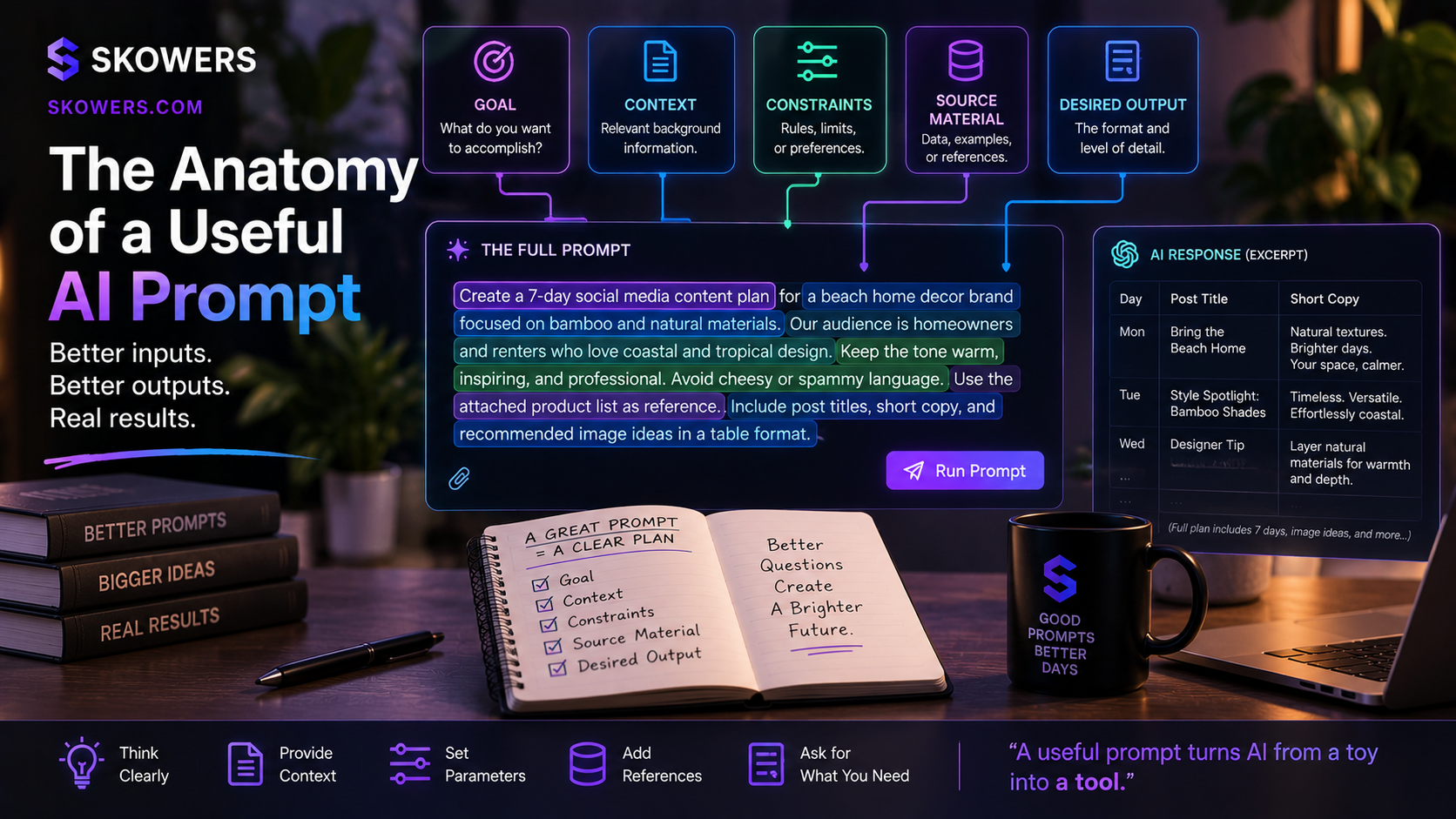
For Skowers readers creating content, the Anatomy of a Useful AI Prompt and Prompt Library can help turn an idea into a better brief before the expensive generation step.
Where Voice Fits
Voice feels conversational, but it is not always a free wrapper around a task. OpenAI's current desktop documentation says voice uses an existing task budget while the model carrying out the work is accounted for separately. Plan-specific voice limits can also apply.
Voice is useful for shaping ideas, asking questions, and changing direction while a task is active. If a conversation has reached a clear decision, ending the session and moving to a concise written brief can be more efficient than leaving a long voice session running in the background.
The same caution applies here as with images. Check the limits shown in your account. Do not assume the rules for one voice surface are identical to every other ChatGPT voice experience.
A Five-Minute Usage Audit
If ChatGPT says to come back later, do this before upgrading your plan or assuming the service is broken.
- Identify the mode. Were you using ordinary Chat, Work, Codex, image generation, or voice? If the app says ChatGPT, check whether the conversation is set to Chat or Work. A Work limit after Codex use has a documented shared-allowance explanation; an ordinary Chat limit requires its own diagnosis.
- Open your usage dashboard. Look for the specific meter, remaining allowance, and reset time.
- Check the time window. A shorter rolling window and a weekly limit can behave differently.
- Review recent heavy tasks. Note image generations, long voice calls, cloud runs, large files, long research, or repeated revisions.
- Check the selected model. A smaller suitable model may preserve capacity for routine work.
- Check the plan and credit settings. Included usage, purchased credits, and API billing are different things.
- Test with a simple task after reset. If a normal light request still behaves unexpectedly, consult current support and account documentation.
OpenAI links to the usage dashboard from its official pricing guide. Read the meter for your account rather than relying on a static number in an article, because product rules and individual plans can change.
How to Use AI All Day Without Burning Through the Budget Early
Keep a Morning Reserve
Before starting a large project, decide how much of the day you want to preserve for urgent questions, corrections, or client work. If you routinely need AI throughout the afternoon, do not spend the entire allowance experimenting with images before lunch.
There is no universal perfect percentage. The point is to make the reserve intentional.
Plan in Chat, Execute in Work
Use Chat to clarify the audience, deliverable, source material, and success criteria. Then launch Work with one well-scoped brief. This does not guarantee a particular savings, but it can reduce unnecessary agent exploration and repeated resets of the same task.
Batch Related Changes
If you need five edits to an article, gather them into one coherent request. Small, contradictory follow-ups can make an agent reread the same context and revise the same output repeatedly.
Match the Model to the Risk
Use a capable model when accuracy, complex reasoning, or a difficult technical decision matters. Use a lighter model for routine classification, formatting, simple drafts, or extracting a short list from known text when your plan offers that choice.
Do not downgrade blindly for medical, legal, financial, safety, or public claims. Verify those with appropriate human expertise and primary sources regardless of model.
Set an Image Budget
Decide on the number of final visuals before generating. Reuse a successful style brief. For a page that needs one hero image, make one strong hero and revise only the specific flaw you see. Do not ask for five more just to see what happens unless the comparison is worth the usage.
Save Useful Output Outside the Chat
Keep approved copy, reusable prompts, images, decisions, and source lists in your own files or project workspace. That reduces the need to reconstruct long context later and protects your work if a product or price changes.
Should You Buy More Credits or Upgrade?
Not immediately. First determine whether the limit reflects an occasional heavy day or your normal workflow.
For one unusual project, a short wait or a limited credit purchase may be more sensible than a permanent plan change. For sustained daily production, compare the higher plan with your actual time saved and the cost of interruptions. Set a monthly ceiling before buying usage-based capacity.
API access is a separate billing path, not a loophole that makes a subscription unlimited. It can be useful for measured automation, but the cost and setup should be evaluated separately.
The most important question is not “How do I get unlimited AI?” It is “Which tasks genuinely need premium agent work, and which can be done with simpler tools or a human decision?”
Codex vs Cursor vs Base44 vs Lovable: What Does the Entry Plan Buy?
If your main goal is building an app, a four-way comparison is useful, but these services do not sell the same unit. The table compares the lowest paid individual building option on each platform, using published US prices checked September 17, 2026. Taxes, promotions, regional prices, and plan rules may differ. A credit on one platform is not equivalent to a credit or request on another.
| Tool and entry plan | Published price | Included building usage | What to budget for |
|---|---|---|---|
| Codex with ChatGPT Plus | $20 per month | Codex access subject to variable Work/Codex limits; no fixed number of completed apps | Technical work in a codebase; hosting and third-party services are separate |
| Cursor Pro | $20 per month | $20 of model API agent usage plus bonus usage; model choice and task size affect how far it goes | AI coding inside an editor; deployment and other app services are separate |
| Base44 Starter | $16 per month when billed annually | 100 message credits and 2,000 integration credits per month; paid plans allow unlimited apps, but credits still cap activity | Prompt-to-app building with an integrated backend; connected third-party services may bill separately |
| Lovable Pro | $25 per month | 100 monthly credits plus a daily build grant of 5 credits, subject to regional caps; task complexity changes credit cost | Prompt-to-app building; Cloud hosting and in-app AI can also draw on credits and grants |
The source pages are OpenAI's Plus plan, OpenAI's Work and Codex limits, Cursor's plans, Cursor's usage explanation, Base44's plans, and Lovable's plans and credit explanation. Check the live plan before paying. In particular, Base44's $16 figure requires annual billing; a monthly checkout can be higher. Lovable's published examples show that even individual edits can consume fractions of a credit or more, while Plan Mode uses one credit per message.
Why the Chart Does Not Say “Ten Apps a Month”
An app can mean a one-page prototype, a private dashboard, or a public product with login, payments, data, and support. Every revision, generated image, integration, and test changes the workload. Base44 saying “unlimited apps” on a paid plan means there is no fixed app-count cap, not unlimited AI messages or integrations. A fixed apps-per-month ranking would be fabricated.
For a fair value test, give each tool the same small brief: a five-screen app with login, one data form, a list view, and a mobile layout. Record the subscription cost, usage consumed through the first working version, usage consumed during fixes, your own time, and any hosting or integration charges. Then calculate total cost per usable app from your results. If you cannot code, count the time it takes to make and verify changes without an editor. If you can code, measure how much control and portability you retain. That experiment tells you more than a promotional “build apps in minutes” claim.
As a starting point, Base44 and Lovable are geared toward getting a hosted app from a written description. Cursor and Codex are better comparisons when you want to work directly with code and manage the rest of the stack. None of them eliminates the need to test security, accessibility, data handling, and the finished user experience.
Is This Good for OpenAI? Will Prices Keep Going Up?
Usage-based controls can help any AI provider manage expensive computing demand, reliability, and product tiers. That is a reasonable industry explanation, but it is an inference about incentives, not proof of why OpenAI changed a particular account's limit on a particular day.
It is also not possible to infer a future price schedule from today's limit notice. Models, infrastructure costs, competition, subscription plans, and promotions may change in different directions. A claim that prices will double next month would be speculation.
The useful response is to build flexibility now. Own your files, document your workflows, know what each tool costs, and keep a second way to complete essential work. Avoid building a business process that only functions when one plan has yesterday's allowance.
Frequently Asked Questions
Why did ChatGPT tell me to come back in a few hours?
You may have reached a limit for the mode, model, feature, or rolling time window you were using. Check the usage dashboard and the notice itself for the applicable reset. A Work/Codex task can consume more than a short text-only exchange.
Did ChatGPT suddenly become pay-per-message?
Not in a simple one-message-equals-one-unit sense. OpenAI says Work/Codex usage varies with model, context, reasoning, tools, and task complexity. Included plan usage, optional credits, and API charges are different billing concepts.
Do Chat and Work have the same limits?
Do not assume that. OpenAI identifies Chat, Work, and Codex as different modes, and specifically documents a shared Work/Codex allowance. Inspect the meter for the mode you actually used.
Did using Codex use up my normal ChatGPT chat?
Codex can use up the allowance shared with ChatGPT Work on eligible plans. OpenAI does not describe regular Chat as part of that Work/Codex usage history. If both seem unavailable, read each limit notice and confirm the selected mode and model before concluding they are the same limit. A screenshot of the banner and the reset time will help support investigate an apparent mismatch.
Why do AI images drain usage so quickly?
For the documented Work/Codex allowance, image generation uses included limits substantially faster on average than a comparable turn without image generation. Quality and image size matter. Plan the image before generating and make targeted edits.
Does a long voice conversation affect task usage?
It can in the documented desktop experience. Voice may have a separate limit, while work started or carried out through voice also draws on the task allowance. End the session when the decision is made and move to a clear written task brief when that is more efficient.
Can I switch models to make my allowance last longer?
When your plan offers model choice, OpenAI recommends considering a smaller model for suitable work. Use the stronger model for tasks that need deeper reasoning, and verify important results either way.
Should I stop using AI until prices settle?
No one can predict the future price of every service. Use AI where it creates measurable value now, keep your work portable, and avoid spending scarce capacity on vague experiments that do not advance a real task.
The Bottom Line
The most concrete shift is that ChatGPT can now perform much more work inside one request. That makes the word “message” a poor guide to how much capacity a task may use. Work and Codex share a documented allowance, heavy tasks can consume more of it, and images and voice need deliberate planning.
Your experience of suddenly hitting a limit deserves an explanation, but the honest explanation starts with your account's mode and meter. Check those first. Then use Chat to think, Work to finish substantial deliverables, Codex to implement technical changes, and image generation only when you have a clear visual brief.
That is how to keep AI useful throughout the day, even while the product and the industry continue to change.
Related Articles

Continue Your Research