
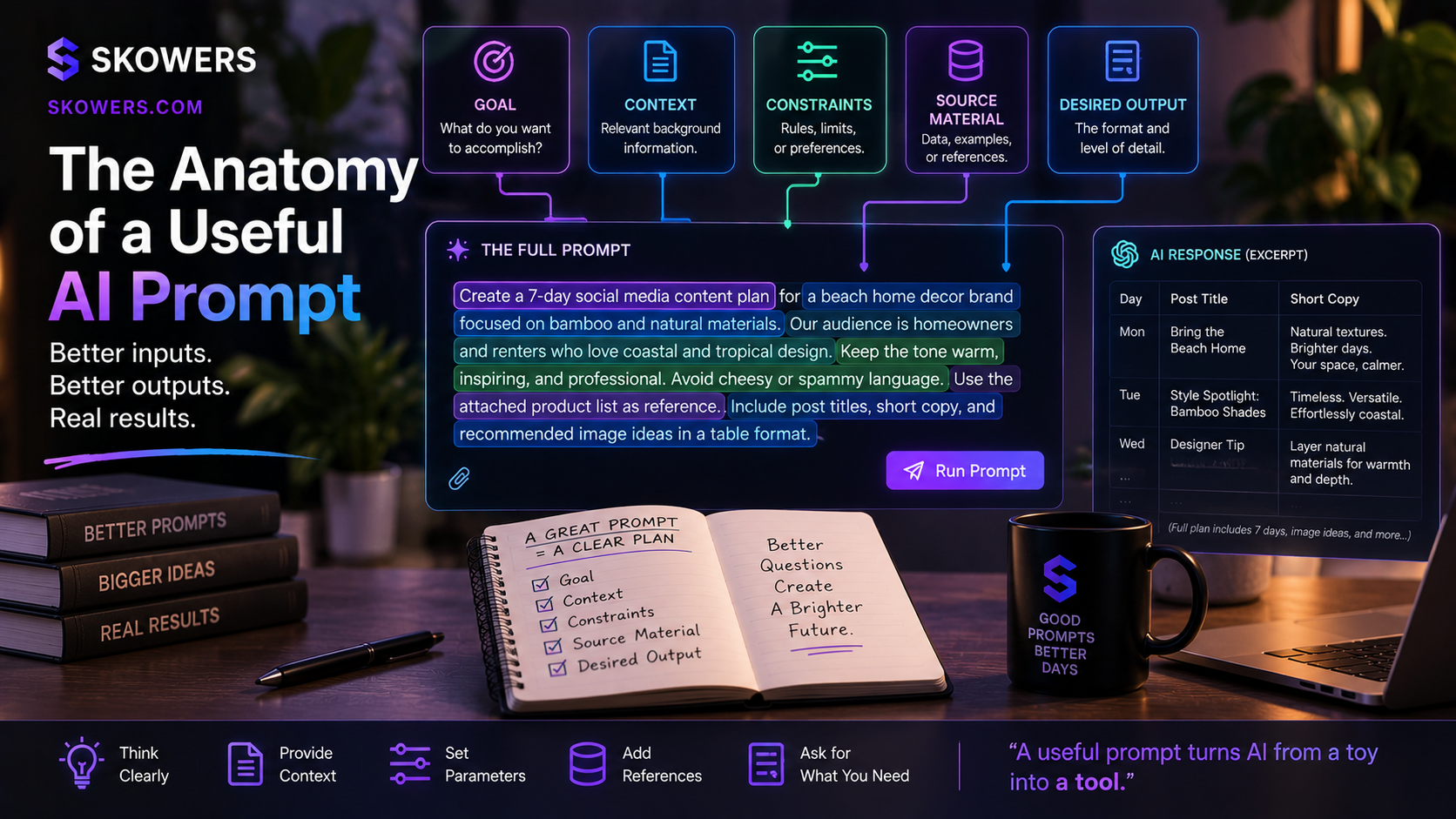
The Anatomy of a Useful AI Prompt: A Practical Guide to Better AI Results
Listen: The Anatomy of a Useful AI Prompt: A Practical Guide to Better AI Results
The difference between a frustrating AI answer and a useful one is often not a secret phrase. It is the quality of the brief.
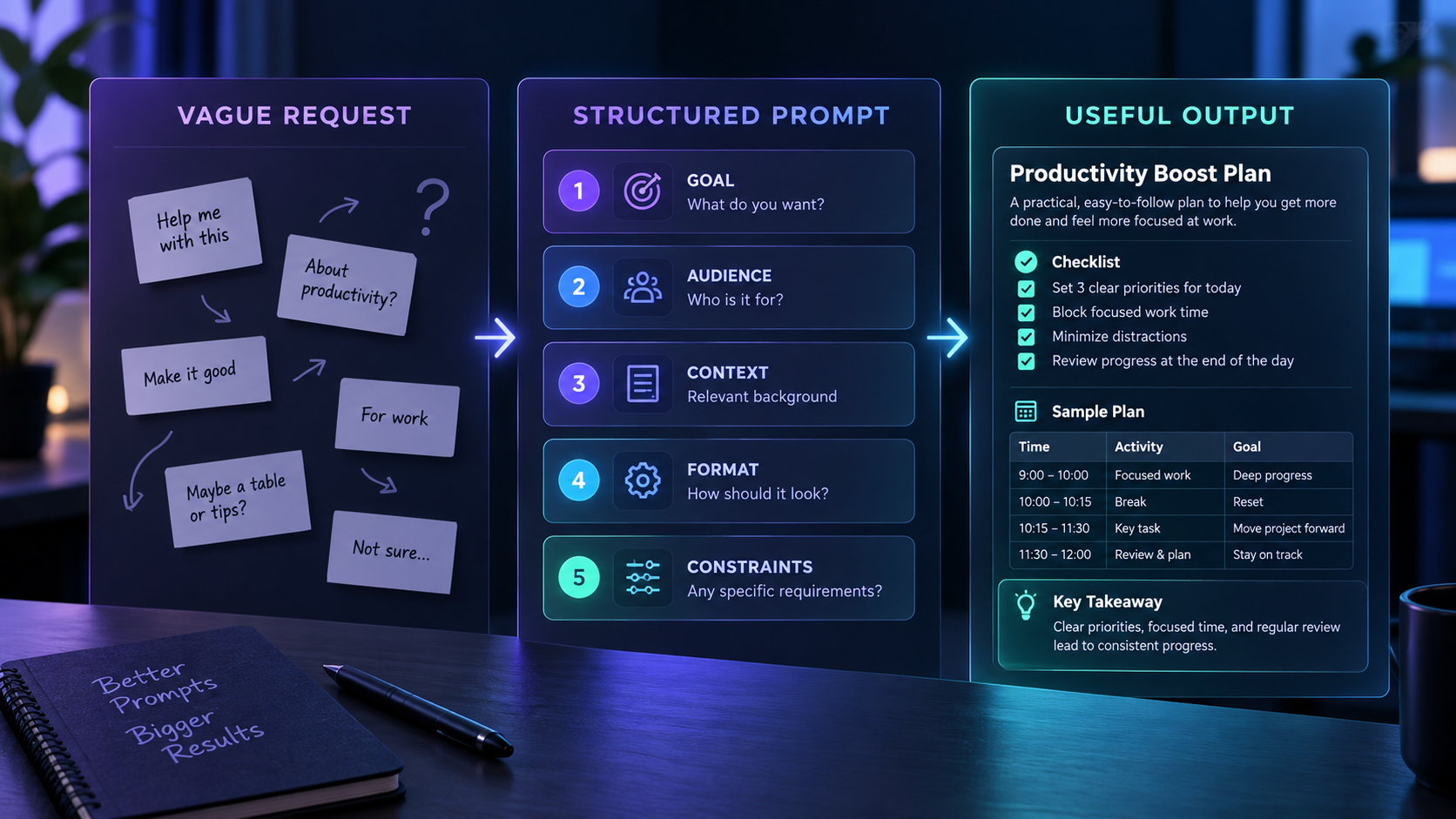
A vague request forces an AI system to guess what success means. A useful prompt gives it a goal, the background it needs, clear boundaries, reliable source material, and a description of the result you want.
That does not mean every prompt needs to be long. It means every detail should earn its place.
This guide breaks a strong prompt into five practical parts. You can use the structure with ChatGPT, Claude, Gemini, Copilot, or almost any modern AI assistant. You will also find copy-ready prompt snippets that make it easier to start.
If you want ready-made examples before building your own, open the Skowers Prompt Library. It organizes copy-ready prompts by practical job, so you can start with a proven structure and adapt it using the five parts below.
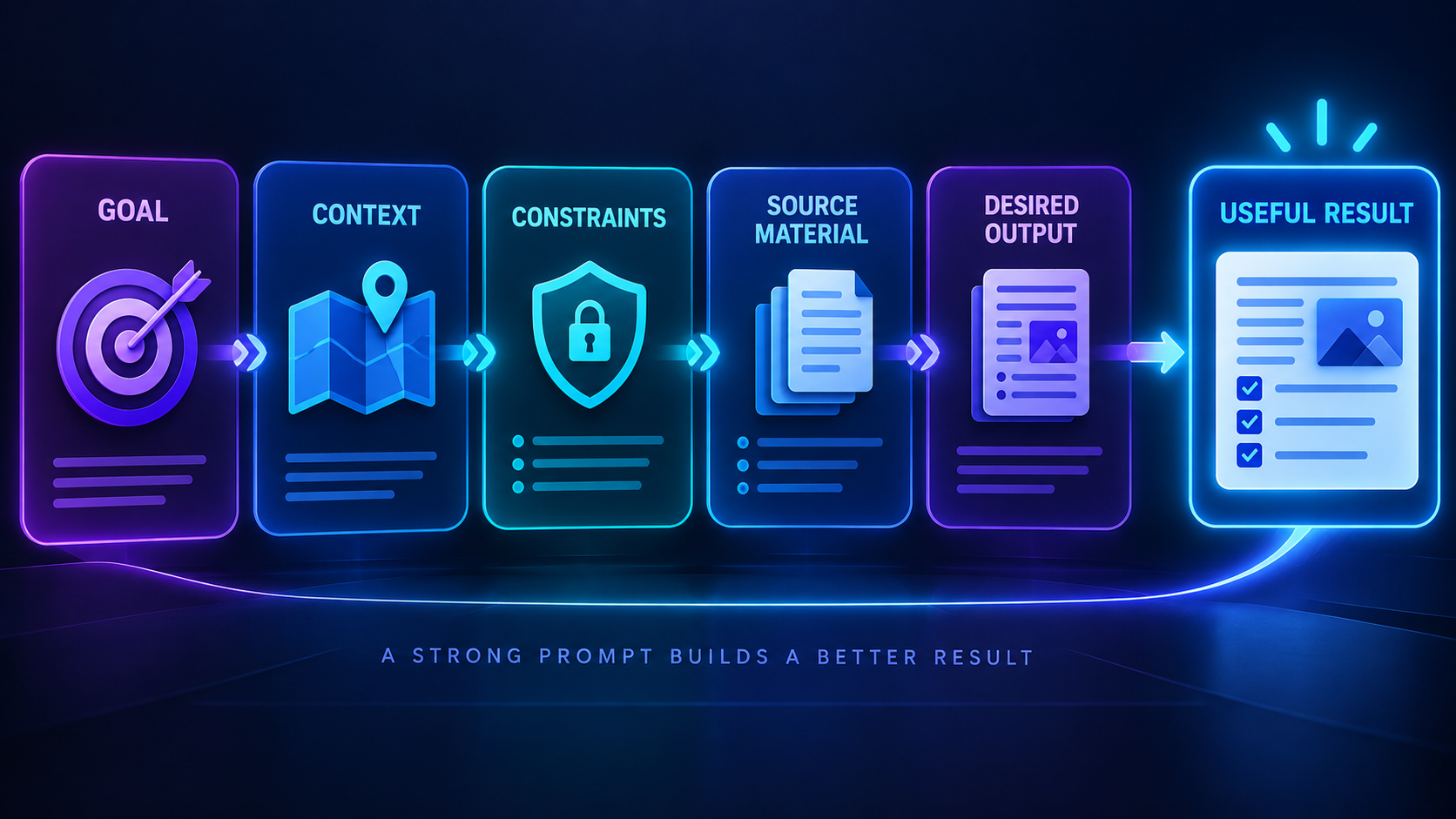
The Five Parts of a Useful AI Prompt
A dependable prompt usually answers five questions.
- Goal: What needs to be accomplished?
- Context: What background changes the answer?
- Constraints: What rules, boundaries, or standards must be followed?
- Source material: What information should the AI use?
- Desired output: What should the finished result look like?
You do not need to announce these labels every time. The value comes from thinking through them before you press send.
Part One: State the Goal
The goal is the job you want completed. It should describe an outcome rather than a broad topic.
Weak goals sound like this:
- Tell me about marketing.
- Help with this email.
- Make a business plan.
These requests name a subject, but they do not define success.
A stronger goal uses a clear action and a practical outcome.
- Rewrite this customer email so the next step is clear.
- Create a one-page launch plan for a local service business.
- Compare three options and recommend one using the criteria I provide.
Help me [complete a specific task] so that [practical outcome]. The finished result should help [person or audience] decide, understand, create, or do [next action].
If you are unsure what the goal is, ask yourself what you want to do with the answer. That next action often reveals the real job.
Part Two: Add Relevant Context
Context tells the AI what is true about your situation. It may include the audience, business, project stage, available resources, previous decisions, or reason the task matters.
Good context changes the answer. Extra history that does not affect the result only creates noise.
For example, asking for a marketing plan is broad. Explaining that you run a two-person bookkeeping firm, serve freelancers, have a limited budget, and want consultation bookings gives the system a real situation to solve.
Here is the relevant background. I am [role] working on [project]. The audience is [specific audience]. They currently [behavior or problem]. We have [resources, limits, or existing assets]. This matters because [business or personal reason].
When a response feels generic, missing context is often the cause. Add facts that distinguish your situation from thousands of similar requests.
Part Three: Set Constraints
Constraints define what the AI should and should not do. They protect tone, accuracy, scope, safety, and time.
Useful constraints may cover:
- Length and reading level
- Brand voice and tone
- Facts that cannot be invented
- Topics that should be excluded
- Budget, deadline, or available tools
- Legal, privacy, or approval requirements
- The amount of detail expected
Constraints work best when they are specific. “Make it good” is not a standard. “Use plain English, keep paragraphs under four sentences, and flag any claim that needs verification” is actionable.
Follow these requirements: - Keep the response under [length]. - Use a [tone] tone for [audience]. - Do not invent facts, quotes, statistics, or sources. - Mark uncertainty clearly. - Exclude [topics or approaches]. - Ask one clarifying question if essential information is missing.
Do not add a long list of arbitrary rules. Too many competing constraints can make the result stiff or confused. Keep the boundaries connected to real quality standards.
Part Four: Provide Source Material
Source material gives the AI something concrete to work from. It can include notes, approved facts, customer feedback, a transcript, a spreadsheet, product documentation, an example, or a draft.
This is one of the biggest improvements you can make. An AI assistant cannot reliably know your internal facts unless you provide them or connect an approved source.
Separate instructions from source material so the system can tell what it should do and what it should analyze.
Use only the source material below for factual claims. If the source does not support a claim, say that the information is unavailable. SOURCE MATERIAL [Paste the approved notes, data, transcript, draft, or document excerpt here] END SOURCE MATERIAL
Review sensitive information before uploading it. Remove passwords, private customer details, health information, confidential financial data, and anything the chosen service is not approved to process.
Part Five: Define the Desired Output
The output specification explains what shape the answer should take. This may be a table, checklist, email, brief, plan, comparison, script, or structured data.
Describe the fields or sections that matter. You can also ask for reasoning to be summarized as evidence and tradeoffs rather than requesting hidden internal reasoning.
Return the result as [format]. Include these sections: [section names]. For each recommendation, include the reason, supporting evidence, tradeoff, and next action. Put missing information under a heading called Questions to Resolve.
A clear output format saves editing time. It also makes repeated prompts easier to compare because each answer arrives in the same structure.
Put the Five Parts Together
Here is a complete prompt that combines the structure without sounding mechanical.
Goal: Help me [specific task and outcome]. Context: I am [role] working on [project] for [audience]. The important background is [facts that change the answer]. Constraints: Use [tone and length]. Follow [requirements]. Do not invent facts or sources. Flag uncertainty and ask one question if a missing detail prevents a reliable answer. Source material: Use the material below as the factual basis. [Paste material] Desired output: Return [format] with [required sections]. Include a clear next step and a short list of anything that still needs human review.
This template is a starting point, not a ritual. Remove sections that do not matter for a simple task and add precision where the risk is higher.

Example: Rebuilding a Weak Writing Prompt
Weak prompt:
“Write a launch email.”
The AI must guess the product, audience, offer, tone, length, evidence, and call to action.
Stronger prompt:
Write a launch email for a scheduling app made for independent home-service businesses. The reader currently manages appointments through text messages and often loses track of changes. The goal is to get existing trial users to book a fifteen-minute setup call. Use a practical and friendly tone. Keep it between 150 and 200 words. Use only these approved claims: shared calendar, automatic reminders, and customer rescheduling links. Do not invent customer quotes or savings statistics. Return a subject line, preview text, email body, and one call-to-action button label.
The improved prompt is longer because the job contains real decisions. The answer should need less rewriting because those decisions are no longer left to chance.
Example: Research Without Invented Facts
Research prompts need especially clear source and uncertainty rules.
Compare the options in the attached material for a small business choosing [product category]. Focus on setup time, ongoing cost, privacy controls, and support. Use only the provided documents and linked official product pages. Cite the source beside each factual claim. If information is missing or conflicting, label it unknown instead of guessing. Return a comparison table, the strongest option for our stated needs, two tradeoffs, and a list of facts a person should verify before buying.
For current pricing, laws, product capabilities, jobs, or news, make sure the assistant has access to current sources. A perfectly structured prompt cannot make outdated information current.
Example: Analyze Feedback Into Decisions
AI is useful for grouping feedback, but it can flatten important differences unless you define the decision.
Analyze the customer comments below to identify repeated problems that our product team can act on this month. Group comments by theme. For each theme, include frequency, severity, two representative excerpts, affected customer type, and a recommended next step. Keep praise separate from problems. Do not treat similar wording as the same issue unless the underlying need matches. Finish with the three highest-priority improvements and explain the evidence for that ranking.
This asks for a decision-ready result rather than a generic summary.
Turn a Good Prompt Into a Repeatable Workflow
A prompt becomes more valuable when it solves the same kind of task repeatedly. Once you have tested a prompt and know what a good result looks like, you can connect it to a reliable workflow.
The Skowers Automation Templates page shows practical patterns for moving information between forms, inboxes, documents, CRMs, and review queues. Use those templates when a prompt should run after a clear trigger, but keep a human approval step anywhere the output can affect money, customers, access, or reputation.
For custom AI workflows, MindStudio can turn instructions into reusable AI-powered processes without requiring a full software build. n8n is a stronger fit when the prompt needs to connect several apps, route data, or wait for approval before taking the next action.
The safe order is simple. Prove the prompt manually, define the review standard, then automate only the stable parts.
Tools That Help With Prompt-Based Work
The best tool depends on what you want the prompt to produce.
- Use the Prompt Library when you need a copy-ready starting point for writing, planning, sales, marketing, or operations.
- Use Wispr Flow when speaking a detailed brief is easier than typing it. Review the transcript before sending important instructions.
- Use Gamma when the desired output is a polished presentation, proposal, document, or visual explainer.
- Use MindStudio when a tested prompt should become a reusable AI app or guided workflow.
- Use n8n and the Automation Templates when prompts need triggers, connected apps, approvals, and repeatable handoffs.
Do not choose a tool only because it offers a large prompt collection. Start with the task, test the output, and keep the product only if it reduces real work.
Use Examples When Style Matters
If you want a particular voice or format, provide one or two good examples and explain what should be copied from them.
Do not simply say “write like this.” Name the qualities that matter, such as short openings, concrete examples, calm language, or a clear recommendation at the end.
Examples should guide structure and tone, not invite copying someone else’s protected work or identity.
Ask the AI to Check Its Work
A final review step can catch obvious gaps. It does not replace human verification.
Before finalizing, check the response against every requirement in this prompt. Then add a short Review Notes section that lists unsupported claims, missing information, assumptions, and anything a person should verify.
For high-stakes work, the human review should be explicit. Medical, legal, financial, employment, safety, and public-facing decisions deserve qualified oversight.
When to Use a Short Prompt
Short prompts are appropriate when the task is simple, low risk, and easy to review.
“Turn these notes into a five-item checklist” may be enough when the notes are clear and the output is disposable.
Use more structure when the work is expensive, public, repeated, difficult to verify, or connected to customer trust. Prompt effort should rise with the cost of a bad answer.
A Fast Prompt Review Before You Send
Use this quick check:
- Is the goal an action with a clear outcome?
- Did I include only context that changes the answer?
- Are the important boundaries explicit?
- Did I provide or identify trustworthy source material?
- Is the output format easy to review and use?
- Does a human need to verify the final result?
If the prompt passes those checks, send it. Then treat the first answer as a draft you can improve.
The Bottom Line
A useful AI prompt is a compact brief.
It tells the system what job to do, what situation it is working inside, which boundaries matter, what evidence it can trust, and how the finished result should be delivered.
The goal is not to write the longest prompt. The goal is to reduce unnecessary guessing.
Start with one real task. Add the five parts that matter. Review the result. Save the version that works, then improve it with what you learn.
For more copy-ready starting points, visit the Skowers Prompt Library. If the prompt should eventually run inside a connected process, explore Automation Templates. If you are still choosing where AI can help, use the Learn AI guide to begin with one practical path, or browse free AI trials to test one tool against a real task.
Related Articles


Continue Your Research