
How to Build AI Agents That Actually Work for You
An AI agent becomes useful when it owns a clearly defined piece of work.
That sounds simple, but many people start in the wrong place. They open an agent builder, connect several apps, and ask it to "help run the business." The result is usually a confident assistant with no clear responsibility, no finish line, and too much access.
The better approach is to manage an AI agent like a new contractor. Give it one job. Show it the source material. Define when work begins, what a finished result looks like, and which decisions still require you.
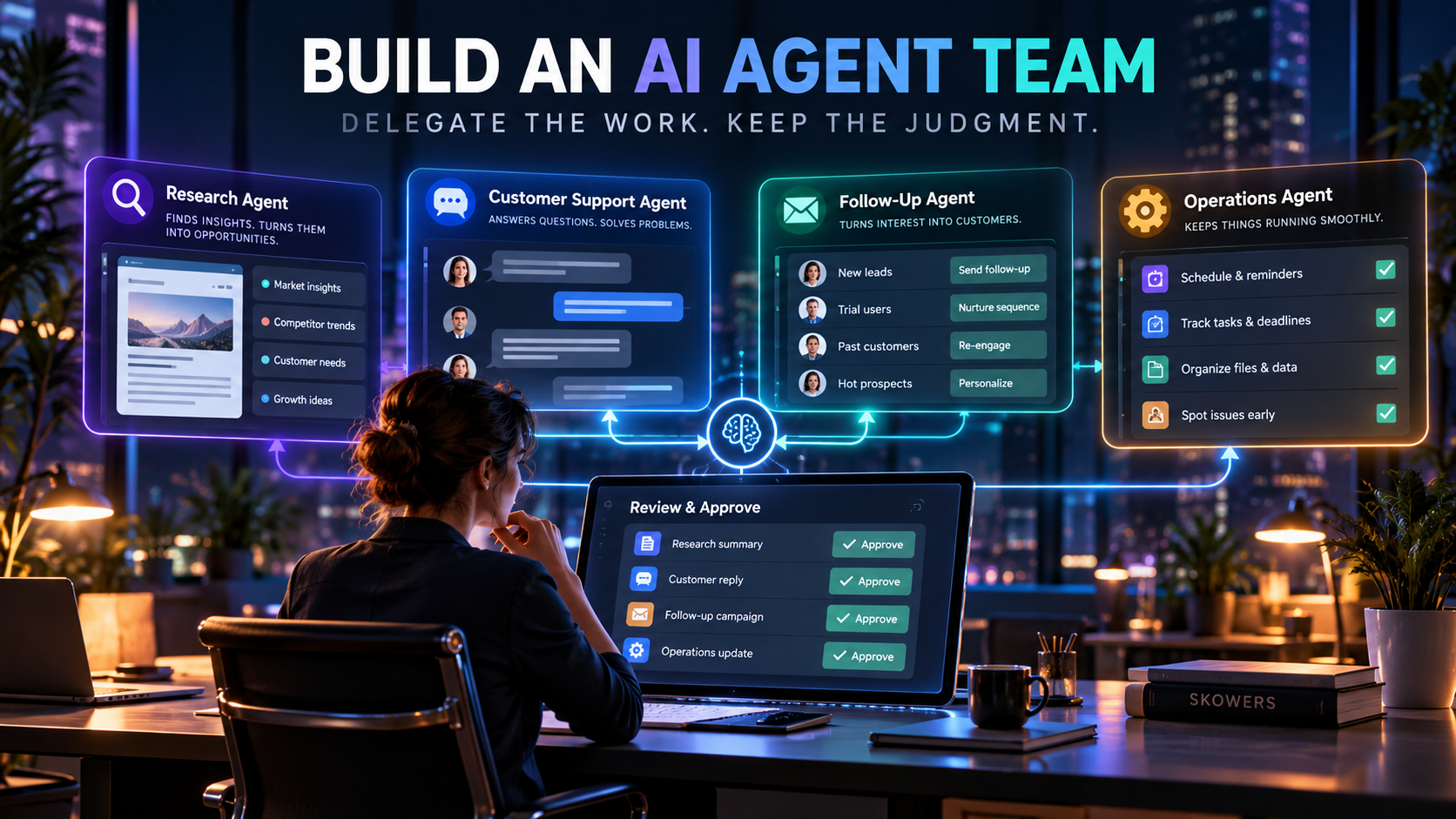
This guide shows how to build a small team of AI agents that can monitor research, follow up with leads, help customers, and move routine work between systems. It uses tools already reviewed by Skowers so you can see how the roles fit together before buying a complicated stack.
Last reviewed October 13, 2026. Features, pricing, and integrations can change. Confirm current details before choosing a plan.
Skowers may earn a commission from partner links in this article at no additional cost to you. Recommendations are based on the job each tool can perform, not commission alone.
What Does It Mean to Have AI Agents Work for You?
An AI agent is software that can observe a trigger, use context, decide what step comes next, and take an allowed action.
A chatbot waits for a question. An agent can notice that a lead filled out a form, research the company, draft a reply, create a CRM task, and ask a human to approve the message.
The important phrase is allowed action. Good agents do not receive unlimited authority. They work inside a job description.
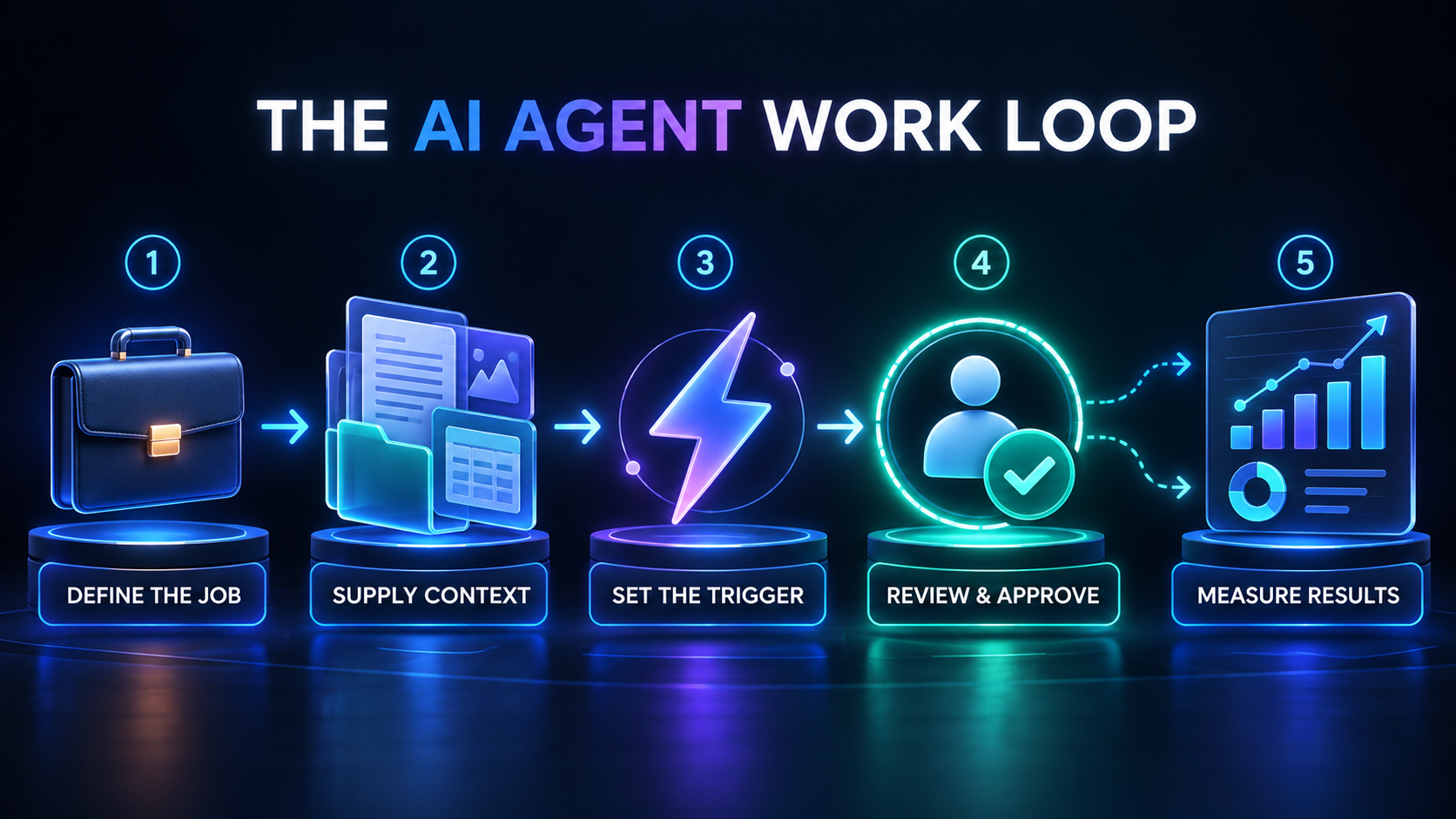
A practical agent job has six parts:
- A trigger that starts the work
- Trusted information the agent may use
- A short list of actions it may take
- Rules for when it must stop
- A human approval point for risky decisions
- A measurable result
If you cannot describe those six parts, you are not ready to automate the job.
Stop Building One Agent That Does Everything
The most dependable setup is not one giant digital employee. It is several narrow agents with clear handoffs.
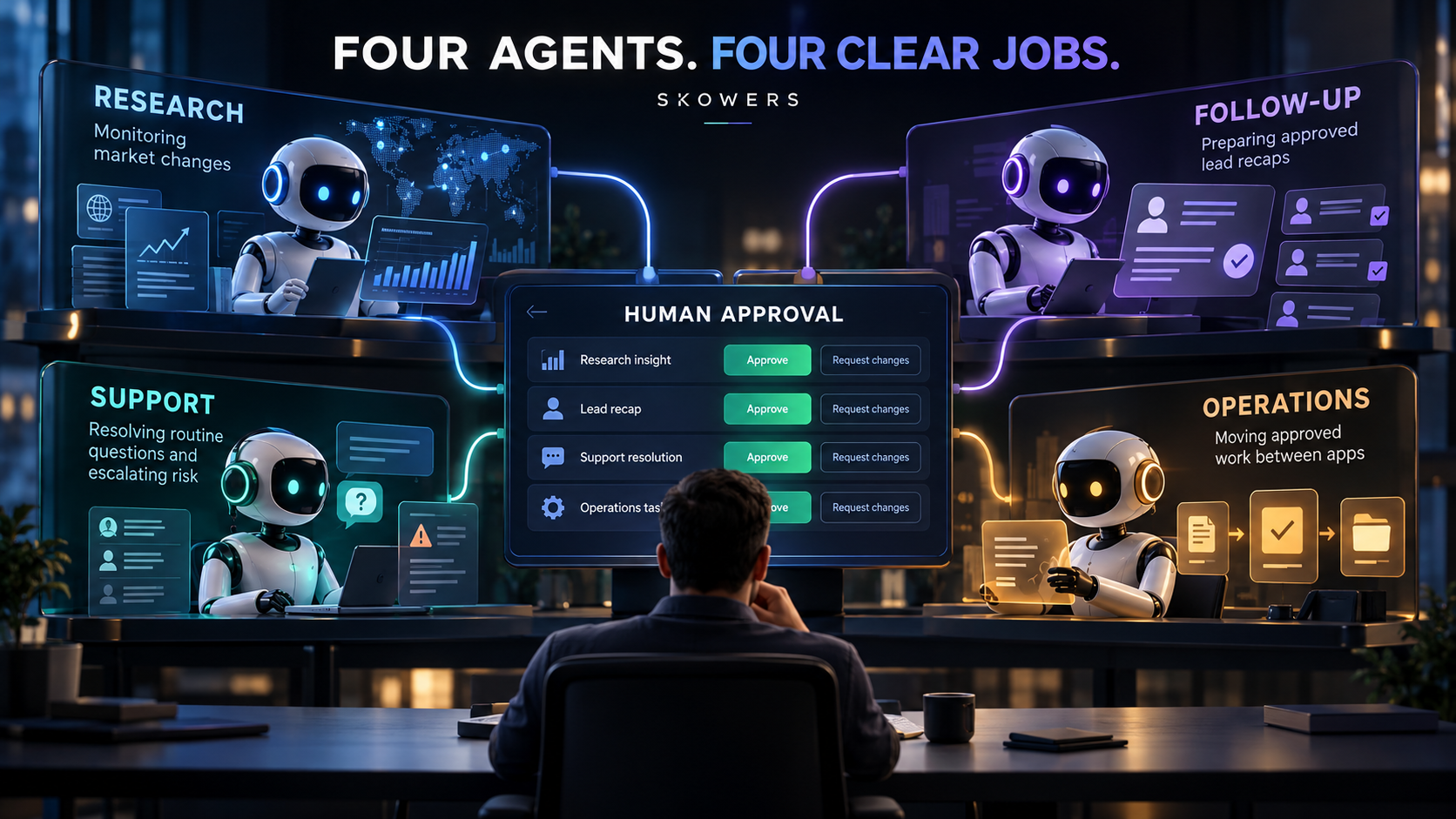
Think of a small company with four part-time roles:
- A research agent watches the market and prepares a brief.
- A follow-up agent keeps qualified leads from going cold.
- A support agent answers routine questions and escalates exceptions.
- An operations agent moves approved information between systems.
Each role uses different context, permissions, and success measures. Separating them makes errors easier to catch and improvements easier to measure.
The AI Agent Job Card
Before choosing software, complete this job card.
Agent name: [plain-language role]
Business outcome: [what should improve] Trigger: [event or schedule that starts the work] Inputs: [approved documents, records, or websites] Allowed actions: [specific actions only] Never allowed: [money, promises, deletion, sensitive changes] Human approval required when: [risk conditions] Finished output: [exact deliverable] Success measure: [time saved, response rate, resolution rate, accuracy] Review schedule: [daily, weekly, or monthly]
This card prevents a common mistake: buying an agent platform before deciding what the agent is employed to do.
Example 1: A Research Agent That Watches What Changes
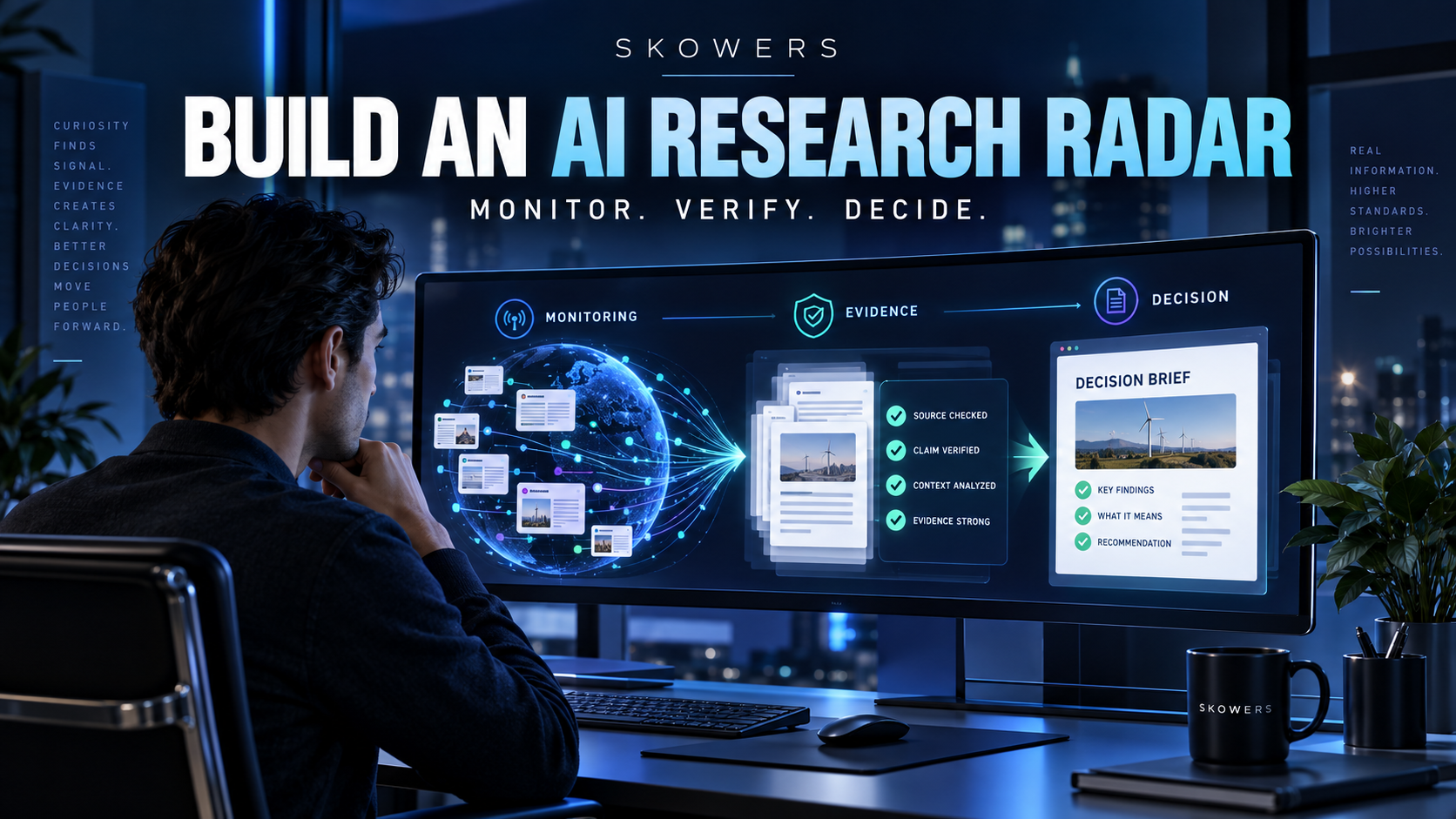
A research agent should not spend all day collecting news. It should watch a defined set of signals and report only changes that could affect a decision.
Browse AI can monitor permitted public webpages and extract structured information. It is useful when you need to watch competitor pricing, product pages, public directories, availability, or policy pages without checking each one manually.
A good research workflow looks like this:
- Choose five to fifteen approved sources.
- Define the exact fields or changes that matter.
- Check on a useful schedule rather than every minute.
- Send changes into a review queue.
- Have the agent produce a short brief with the source attached.
- Let a person decide whether the change requires action.
Example job: Every weekday morning, check three competitor pricing pages. If a price, trial length, or included feature changes, create a brief showing the old value, new value, page URL, and recommended question for the owner. Do not change our pricing.
That is an agent doing useful work. “Research my competitors” is not.
For a deeper monitoring system, use the AI Research Radar guide.
Example 2: A Follow-Up Agent That Protects Revenue
Follow-up is a strong agent job because the trigger and desired outcome are visible.
Lindy is designed for AI assistants that can work across calendars, email, meetings, and connected business apps. A narrow first role could be meeting follow-up.
The agent can:
- Notice when a qualified meeting ends
- Read the approved meeting notes
- Draft a concise recap
- List commitments and owners
- Suggest the next meeting time
- Create a reminder if no reply arrives
The agent should not invent commitments, negotiate price, or send a legal promise. Those actions need approval.
Example job: After a sales call, draft a recap within ten minutes using the transcript and CRM record. Include the prospect's stated problem, agreed next step, owner, and date. Ask the salesperson to approve before sending. If there is no reply after three business days, draft one reminder.
Measure reply rate, time from meeting to recap, and how often a human has to correct the draft.
Example 3: A Customer Support Agent With a Clear Exit Door
Support agents can create immediate value because many questions are repetitive. They can also damage trust quickly if they pretend to know an answer.
Typewise is built for governed customer-service agents across channels, with connected business systems and human control. The useful feature is not simply answering faster. It is deciding which requests can be resolved automatically and which must be handed to a person.
Start with low-risk intents:
- Product information
- Order status
- Account navigation
- Appointment or scheduling questions
- Known troubleshooting steps
- Routing requests to the correct team
Keep these behind approval or human handling:
- Refunds above a fixed amount
- Billing disputes
- Legal or medical claims
- Angry or vulnerable customers
- Identity or account ownership changes
- Exceptions that are not in policy
Example job: Answer questions using only the approved help center and current order data. Include the source used. If confidence is low, the customer is upset, or the request involves money or an account change, summarize the situation and transfer it to a human without guessing.
Measure resolution rate, escalation accuracy, customer satisfaction, and the number of answers corrected after review.
Example 4: An Operations Agent That Connects the Team
Research, follow-up, and support agents become more useful when their approved outputs reach the right system.
n8n is a workflow automation platform that can connect triggers, AI steps, business apps, approval gates, and logs. Its job in an agent team is coordination.
For example:
- Browse AI detects a pricing change.
- An AI step summarizes the change.
- n8n checks whether the change matches a defined alert rule.
- The owner receives an approval task.
- After approval, n8n creates a task for marketing or product.
- Every step is logged.
The operations agent does not decide company strategy. It makes sure an approved decision becomes visible work instead of disappearing into a chat transcript.
When [trigger] happens:
- Collect [approved inputs]
- Check [validation rules]
- Draft [output]
- Stop and request approval if [risk conditions]
- After approval, update [systems]
- Record [source, action, owner, timestamp]
- Notify [person or team]
The workflow succeeds when [measurable result].
How to Put an Agent to Work in Seven Steps
1. Choose a job people already repeat
Look for work with a visible trigger, repeated steps, and a result you can inspect. Good first jobs include meeting recaps, lead research, support triage, document routing, competitor monitoring, and weekly reports.
2. Give the agent a private desk, not the whole building
Create a dedicated email address, folder, workspace, or service account when possible. Grant read-only access first. Add write access only after the agent proves it can handle the narrow job.
3. Build the source pack
An agent needs approved context. Give it current policies, examples of good work, customer FAQs, product facts, and a list of information it must never invent.
If the source pack is messy, use the AI-Ready Data guide before adding more automation.
4. Write the stop rules
Tell the agent when not to act. Examples include low confidence, missing required information, unusual transaction size, customer anger, conflicting records, or any request involving irreversible changes.
5. Put approval before the risky action
Review should happen before an email is sent, money moves, a record is deleted, a promise is made, or public content is published. Do not call a weekly audit an approval gate if the damage already happened.
6. Test with old work
Run the agent against twenty to fifty completed examples. Compare its decisions with what a competent person actually did. Fix the instructions before connecting live systems.
7. Measure the job every week
Track outcomes, not agent activity. An agent creating 500 tasks is not productive if none of them matter.
A Simple Agent Scorecard
Use five measures:
| Measure | Question |
|---|---|
| Accuracy | How often was the output correct without repair? |
| Completion | How often did the agent finish the assigned job? |
| Escalation | Did it ask for help at the right moments? |
| Time saved | How many human minutes did the workflow remove? |
| Business result | Did response time, conversion, resolution, or throughput improve? |
Review failures by category. A bad answer may come from weak instructions, missing data, excessive permissions, or the wrong task being automated. Do not assume the model is always the problem.
What Should Always Stay Human?
Keep people responsible for:
- Strategy and priorities
- High-value customer relationships
- Hiring and firing
- Legal commitments
- Unusual financial decisions
- Sensitive personal situations
- Final accountability
Agents should remove queue work so people have more time for those decisions. The goal is not a business with no humans. It is a business where humans are not copying data between tabs all day.
Common Mistakes
- Giving an agent a vague goal such as “grow the business.”
- Connecting every app before one workflow works.
- Letting the agent use unapproved or outdated information.
- Measuring messages sent instead of useful outcomes.
- Hiding failures instead of reviewing them.
- Giving write access before testing read-only work.
- Automating a broken process.
- Buying several overlapping agent platforms.
Which Tool Should You Start With?
- Start with Browse AI when the job is monitoring permitted public webpages.
- Start with Lindy when the job lives in email, meetings, calendar, and personal follow-up.
- Start with Typewise when the job is governed customer service across channels and business systems.
- Start with n8n when the main problem is moving approved work between apps.
Do not buy all four first. Choose the job card that has the clearest trigger and the highest weekly time cost. Prove that role, then connect the next one.
Browse additional options in the Skowers AI tools directory, compare practical combinations on Discover, or start with a tested workflow in Automation Templates.
FAQ
Can an AI agent really work without constant supervision?
It can handle a narrow, tested job with scheduled review. High-risk or unusual decisions still need a person. Autonomy should be earned through reliable results, not enabled on the first day.
What is the best first AI agent for a small business?
Usually the best first agent handles a repeated task that is easy to verify, such as meeting recaps, lead research, support triage, or a weekly report. Start where errors are reversible.
Do I need to know how to code?
Not always. Lindy, Typewise, and Browse AI are designed to reduce custom development for their specific jobs. n8n offers visual workflows, although complex integrations still benefit from technical review.
How many AI agents should I create?
Start with one. Add a second only after the first has a job card, approval rules, a scorecard, and several weeks of reliable results.
Can AI agents replace employees?
An agent can replace pieces of repetitive work. It does not automatically replace judgment, relationships, accountability, or the full range of a real role. Design around tasks and outcomes rather than headcount claims.
The Bottom Line
AI agents work for you when they have a real job and a responsible manager.
Name the role. Define the trigger. Limit the tools. Supply approved context. Put a human before risky actions. Measure whether the business outcome improves.
A research agent in Browse AI, a follow-up agent in Lindy, a support agent in Typewise, and an operations layer in n8n can become a practical agent team. But the software is not the management system. The job cards, boundaries, approvals, and scorecards are.
Start with one job that costs you time every week. Make the agent dependable there. Then give it more responsibility.
Related Articles
Continue Your Research