
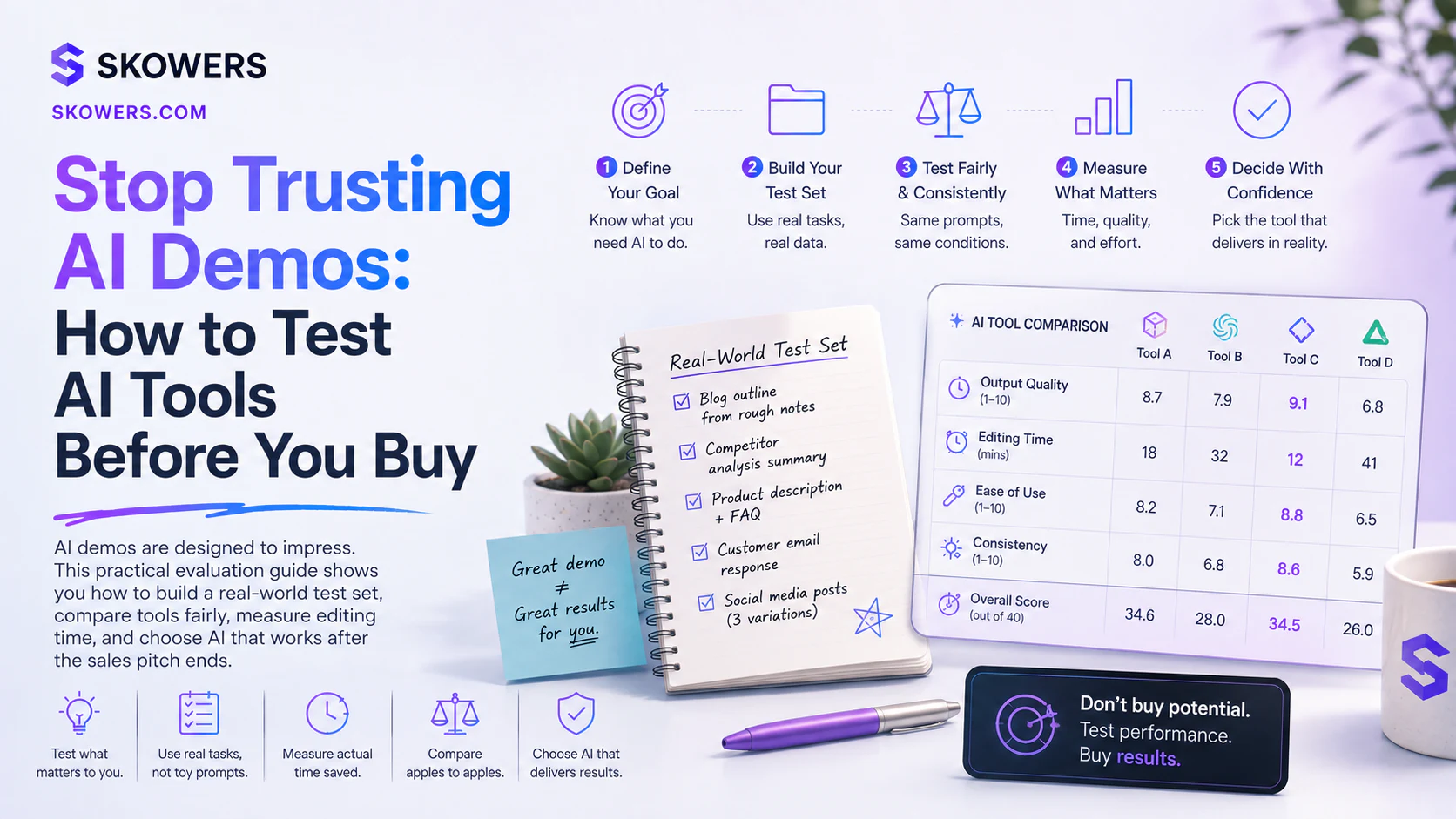
Stop Trusting AI Demos: How to Test AI Tools Before You Buy
Listen: Stop Trusting AI Demos: How to Test AI Tools Before You Buy
An AI demo can make almost any tool look extraordinary.
The prompt is polished. The example is familiar. The data is clean. The presenter knows exactly which button to press. Within seconds, a glowing dashboard produces an answer that appears to save hours.
Then you open the free trial and use your own work.
The document is longer. The customer question is ambiguous. The spreadsheet has missing values. The brand voice is specific. The task needs three corrections before it is useful.
This gap between the demo and the real workflow is where expensive AI decisions begin.
The best way to compare AI tools is not to ask which one feels smartest. It is to give each tool the same representative work and measure what happens.
That process is called evaluation.

Large AI companies use formal evaluations to test models and systems. Small businesses, creators, and independent professionals can use the same principle without building a technical laboratory.
You need a small set of real tasks, a clear definition of success, and enough discipline to record the failures as carefully as the wins.
What an AI Evaluation Really Is
An AI evaluation is a repeatable test that answers a useful question.
For a buyer, that question may be:
- Can this tool draft support replies that require minimal correction?
- Can it summarize our meeting notes without inventing decisions?
- Can it find useful sales prospects that match our actual customer profile?
- Can it turn one recorded conversation into publishable content?
- Can it classify documents accurately enough to reduce manual sorting?
- Can it complete the work faster than our current process?
The word repeatable matters.
If you test Tool A with an easy prompt on Monday and Tool B with a difficult prompt on Friday, you did not compare the tools. You compared two different situations.
A useful evaluation gives each tool the same inputs, instructions, constraints, and review standard.
Why Public Benchmarks Are Not Enough
Benchmarks can reveal important capabilities. They can help researchers compare reasoning, coding, language understanding, image recognition, and other skills.
They cannot tell you whether a product fits your workflow.
Your result also depends on the interface, prompt setup, integrations, retrieval system, file limits, model configuration, response speed, permissions, and the amount of cleanup required after the answer appears.
Two products may use similar underlying models and still create very different experiences.
One may understand your files better. One may make approvals easier. One may preserve formatting. One may bury the useful result inside a complicated workflow.
The right test belongs to the job, not the leaderboard.
Start With a Real Decision
Do not begin by testing every feature.
Begin with the decision you need to make.
Write one sentence:
"We will keep this tool if it can help us complete this task with less time, acceptable accuracy, and a review process we can trust."
Replace "this task" with the actual work.
For example:
"We will keep this tool if it can turn a forty-minute customer interview into a useful summary, five accurate quotes, and three social posts in less than twenty minutes of total human time."
That statement creates a finish line.
Without it, a free trial becomes aimless clicking.
Build a Small AI Test Set
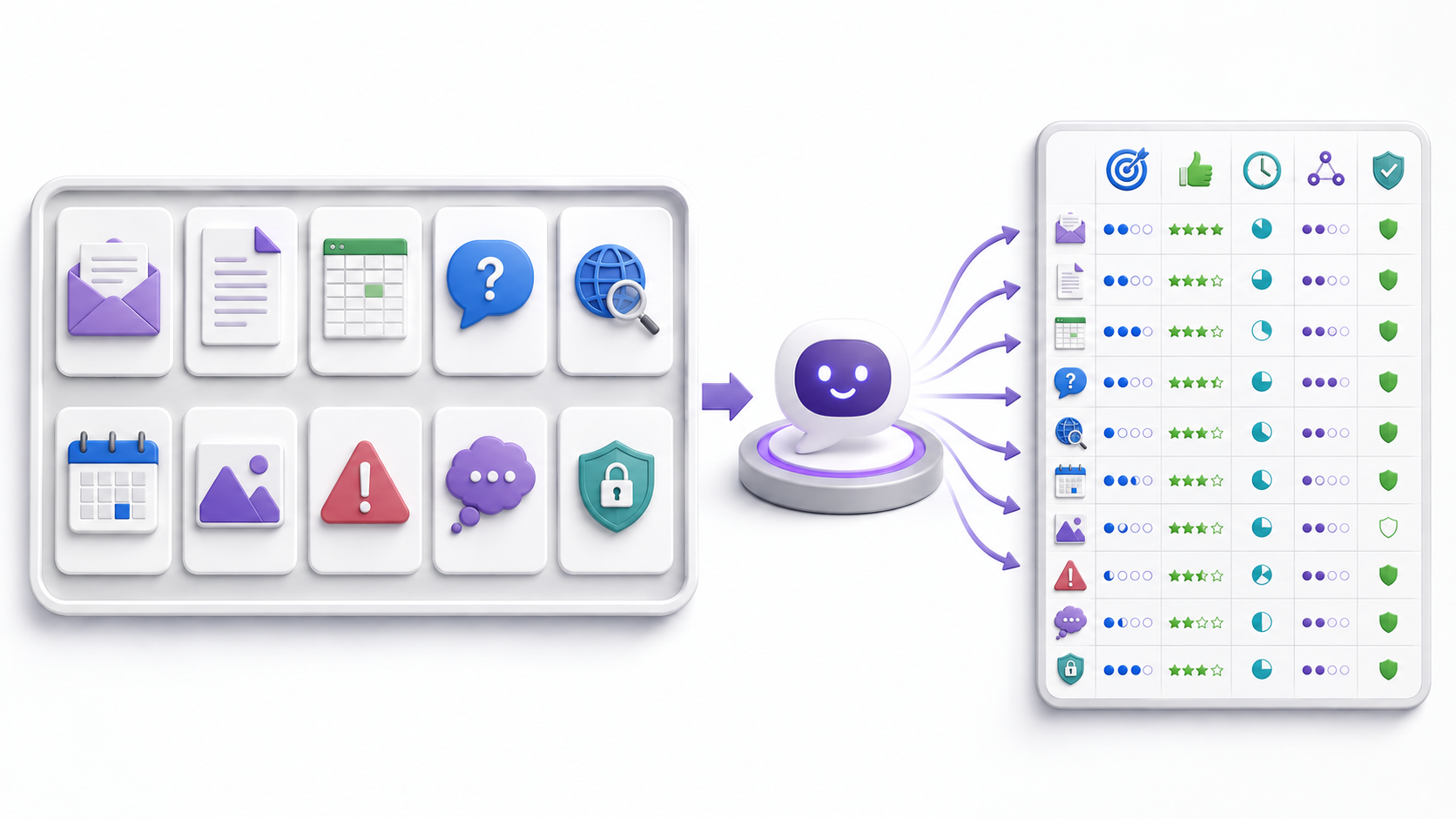
A test set is a collection of examples that represent the work you expect the tool to handle.
You do not need hundreds of examples to make a better buying decision. Start with ten to twenty.
Include different levels of difficulty.
Typical work
Use the ordinary tasks that appear every week. These reveal whether the tool can create consistent daily value.
Messy work
Include incomplete notes, unclear requests, inconsistent formatting, and imperfect files. Real business inputs are rarely as clean as a product demo.
Important edge cases
Add examples where the correct response is to ask a question, state uncertainty, or refuse to guess.
High-value work
Include one or two tasks where a good result would create meaningful savings or revenue. These help reveal the tool's upside.
Failure cases
Use examples that have caused problems before. If the current process often misses dates, changes names, invents quotes, or loses formatting, test those weaknesses directly.
Do not fill the test set only with easy examples. A perfect score on unrealistic work is not useful.
Remove Sensitive Information First
Real examples are valuable, but they should be prepared carefully.
Remove customer names, personal information, passwords, private financial data, confidential contracts, health information, and anything else the tool is not approved to process.
Replace sensitive details with realistic placeholders while preserving the structure of the task.
Before uploading files, check the provider's privacy terms, retention settings, training policy, account controls, and deletion options.
If the work cannot be tested safely in a general cloud product, use approved test data or consider a private environment.
Define Success Before Running the Test
Scoring after you see the output invites bias.
Decide what matters first.
A practical scorecard can use five measures.
Accuracy
Did the output preserve facts, names, numbers, quotes, and instructions?
Usefulness
Could the result be used for the intended job, or was it merely fluent?
Editing time
How many minutes did a person spend correcting, rewriting, formatting, and verifying the output?
Consistency
Did the tool perform reliably across similar examples, or did quality change without a clear reason?
Safety and control
Did the tool respect boundaries, expose uncertainty, protect sensitive information, and keep consequential actions under human review?
Use a simple scale from poor to strong, but keep the notes.
The explanation behind a score is usually more valuable than the score itself.
Measure Total Human Time
AI tools often advertise generation speed.
Generation time is only one part of the workflow.
Measure:
- Time spent preparing the input
- Time waiting for the result
- Time checking facts
- Time correcting the output
- Time restoring formatting
- Time moving the result into another system
- Time fixing mistakes discovered later
A tool that writes in ten seconds but needs twenty minutes of repair may be slower than a tool that takes one minute and produces a reliable draft.
The metric that matters is usable output per minute of human attention.
Run a Fair Side-by-Side Trial
Choose no more than two or three tools at once.
Give each tool the same test set. Use equivalent settings. Run the tests during the same week so the work and expectations remain comparable.
Avoid improving prompts for your favorite tool while giving competitors only one attempt.
If a prompt needs refinement, apply the same useful clarification to every tool that supports it.
Save the outputs. Record the time. Note every correction.
You can use the Skowers Dashboard to track which trials you started, what they cost, and which tools are still under consideration. Use Free AI Trials to find products you can evaluate before paying.
Test the Tool More Than Once
Generative AI can produce different answers from the same request.
One excellent result does not prove reliability.
Run important examples several times. Look for changes in facts, structure, tone, and compliance with instructions.
If one run is excellent and the next two are unusable, the average experience matters more than the best screenshot.
For recurring work, consistency may be more valuable than occasional brilliance.
Test What Happens When the Input Is Unclear
A trustworthy assistant should not always answer immediately.
Sometimes the best behavior is to ask for missing context.
Include prompts with:
- A missing date
- An unclear audience
- Conflicting instructions
- An unsupported claim
- A request outside the tool's intended role
- A task that requires approval
Then observe whether the system asks a useful question, identifies the conflict, or confidently invents an answer.
This is especially important for tools that communicate with customers, update records, handle money, or trigger automations.
Test the Entire Workflow
An answer can be accurate and still create a bad product experience.
Evaluate what happens before and after generation.
Ask:
- Was setup understandable?
- Could the right people access the tool without excessive permissions?
- Did file uploads preserve the information correctly?
- Could a person review the result before anything was sent or changed?
- Did the integration create duplicate records?
- Was it clear when the AI used a source?
- Could the result be exported in a useful format?
- Could the data be deleted when the trial ended?
The product is the workflow, not only the model response.
Use a Seven-Day Evaluation Plan
Day 1. Define the job
Choose one workflow and write the keep-or-cancel decision rule.
Day 2. Build the test set
Collect ten to twenty representative examples. Remove sensitive information and include messy cases.
Day 3. Create the scorecard
Define accuracy, usefulness, editing time, consistency, and safety standards.
Day 4. Run the normal cases
Test the tasks that happen most often. Record total human time.
Day 5. Run the difficult cases
Use ambiguity, incomplete information, and known failure patterns.
Day 6. Repeat and compare
Run important examples again. Compare the same work across competing tools.
Day 7. Decide
Keep the tool only if the measured value justifies the price, setup, and risk.
Cancel anything that does not earn a clear role.
What a Winning AI Tool Looks Like
The winner may not have the most features.
It should make one meaningful workflow better.
Look for a tool that:
- Produces useful results across normal and difficult examples
- Reduces total human time
- Makes errors easy to notice and correct
- Fits the systems people already use
- Gives users clear control over data and actions
- Has a price supported by measurable value
- Remains understandable after the excitement of the demo fades
The right product should become easier to explain after testing.
You should be able to say exactly what it does, who uses it, which inputs it needs, what review is required, and what result makes it worth keeping.
When No Tool Wins
Sometimes every trial fails.
That does not mean the evaluation was wasted.
It may reveal that the workflow is poorly defined, the source data is unreliable, the task needs human judgment, or the available tools are not mature enough.
The correct decision can be to wait.
It can also be to redesign the process before adding AI. The AI Work Redesign Playbook explains how to improve the workflow before choosing more software.
Recheck Tools After They Change
AI products change quickly.
Models are replaced. Prompts are updated. Integrations change. Prices move. Features that worked during the trial can improve or decline.
Keep the test set after the buying decision.
Run the important examples again after a major model update, a workflow change, or a surprising failure. This turns the test set into a small quality-control system.
NIST guidance emphasizes testing AI systems before deployment and continuing evaluation while they are in use. The principle is practical even for a small team.
Trust should be maintained with evidence, not assumed permanently.
The Bottom Line
AI demos show possibility.
Evaluations show fit.
Before paying for another AI tool, build a small test set from real work. Define success before seeing the output. Measure total human time, not generation speed. Test messy inputs and failure cases. Compare products under the same conditions. Keep a person responsible for important decisions.
This approach is slower than clicking through a perfect demo for five minutes.
It is much faster than spending six months paying for software nobody trusts.
Use Discover when you want to compare complete tool stacks, then test the specific products against one workflow at a time.
The best AI tool is not the one that creates the most impressive first answer.
It is the one that keeps creating useful, reviewable results when your real work arrives.
Sources consulted include the NIST AI Risk Management Framework and AI Resource Center guidance on testing, evaluation, verification, and validation, plus OpenAI documentation on evaluation datasets, testing criteria, graders, and repeated evaluation.

Related Articles
Continue Your Research